We use cookies on this website to ensure its proper functioning and to improve the quality of our services. Cookie Policy
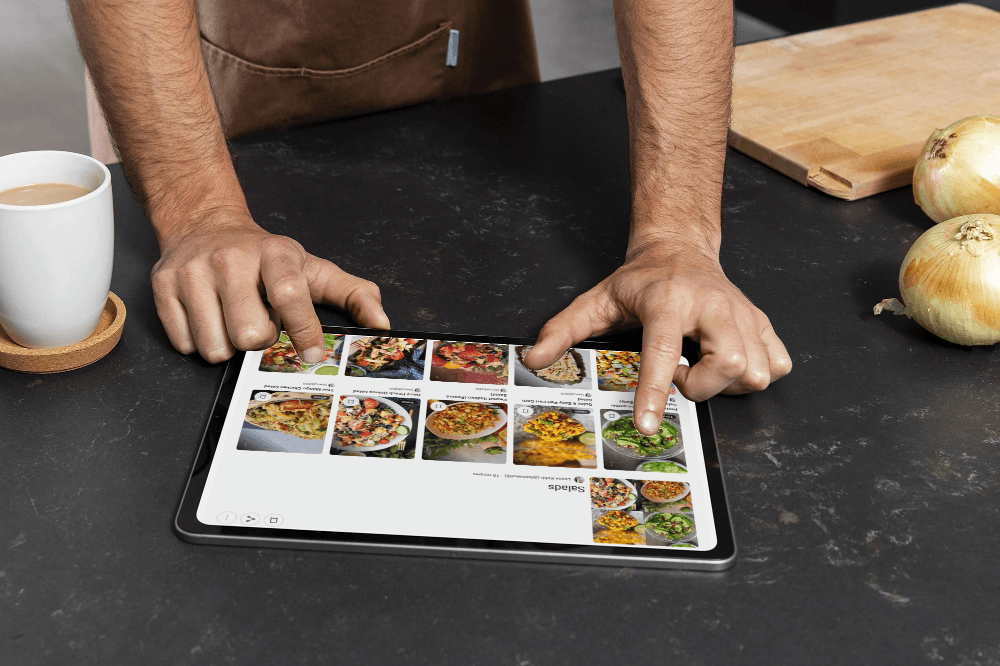
Paper recipes get lost. Links break. Screenshots pile up in a camera roll you never actually open. Keeping your recipes safe shouldn't be this hard. On Chefadora, every recipe you save goes into your personal Recipe Library - organised, backed up, and ready on any device. No separate system needed. The platform handles it for you.
Most people start with paper. A recipe card from a parent. A page torn from a magazine. A handwritten note on the fridge.
Paper feels easy at first. There's nothing to set up - you just write it down.
But the paper doesn't last. It gets stained. It tears. It falls behind the counter and never comes back. A recipe you've made a hundred times just disappears. There's no backup. Once it's gone, it's gone.
Digital storage is different. A recipe saved digitally doesn't spill. It doesn't fade. It doesn't get left at someone else's house. It lives in one place and you can pull it up from your phone, your tablet, or any device - standing in your kitchen or walking through a supermarket.
Most home cooks don't make a big decision to go digital. They just get tired of not being able to find things.
The best way is one digital place you can search, organise, and get to from anywhere.
Not a folder of screenshots. Not browser bookmarks. Not a notes app that wasn't built for recipes.
A system where your recipes are actually structured - with ingredients, steps, cook times, and tags - so you can find what you need fast.
Here's what makes a recipe storage system actually work :
Recipes you've saved from websites, recipes you've made yourself, recipes from people you follow - all in the same library. Switching between five different places to find one recipe defeats the point.
When you have 50 saved recipes, you can scroll. When you have 200, you need to search. Good recipe storage lets you filter by ingredient, meal type, diet, or cuisine in seconds.
Saving recipes is step one. Being able to group them into themes - weeknight dinners, meal prep, vegan baking, family favourites - is what makes a collection actually usable.
A recipe saved on your laptop should be there on your phone. Cloud storage means your library follows you everywhere.
If your phone breaks or you switch devices, your recipes should still be there. With cloud backup, they are.
A recipe that's just a title and a list of ingredients is only half useful.
A well-stored recipe has everything you need to cook from it without going back to the original source. That means:
When all of that is stored together, you can pick a recipe, shop for it, and cook it from start to finish without hunting for missing details.
The simplest backup is cloud storage - saving your recipes to a platform that stores them online, not just on your device.
If your phone gets lost, your recipes aren't on it anymore. They're in your account and accessible from anything you log into.
The risk with storing recipes on a single device is obvious: one dropped phone and everything is gone.
The risk with saving recipes across multiple apps, screenshots, and browser bookmarks is different - but just as real. The collection is so scattered that it's effectively inaccessible even when nothing has gone wrong.
A proper backup means your recipes are:
In the cloud, not just on one device. If you lose the device, you still have the recipes.
In a structured format, not just photos or screenshots. A photo of a recipe card is better than nothing, but you can't search for it, tag it, or pull it up by ingredient.
In one account, not spread across five apps. Consolidating into one place is itself a form of backup - it removes the risk of losing things because they were saved somewhere you forgot about.
At Chefadora.com the Recipe Library is where every recipe you save on the platform lives. It's cloud-based, which means it's not tied to any single device. Log into your Chefadora account from a new phone, a tablet, or a desktop, and your full recipe library is there.
When you save a recipe on Chefadora, you're not saving a link or a screenshot. You're saving a structured recipe page - with the ingredient list, step-by-step method, cook time, dietary tags, and nutritional information all in one place. That's actually useful when you're cooking. A URL that stops working when the original blog shuts down is not.
Your Recipe Library on Chefadora also gives you collections - the ability to group saved recipes into themes that make sense for how you cook. Not just one big unsorted list, but "Sunday Meal Prep," "Gluten-Free Dinners," "Quick Lunches" - named groups you can pull up and share whenever you need them.
Every recipe on Chefadora, whether you saved it from another creator or published it yourself is part of your library and accessible from any device, any time.
Start saving your recipes on Chefadora Now →
This is one of the most common frustrations with recipe organisation. You find a recipe on a food blog, save the link. You spot another one on social media, screenshot it. You write one down yourself. They end up in three different places and none of them are easy to find later.
Chefadora's Recipe Import feature lets you bring recipes from other websites directly into your Chefadora library. Paste the URL, and the recipe is saved to your account in Chefadora's structured format - ready to search, organise, and add to collections. No more tab-switching between sites. No more dead links when a blog shuts down.
For recipes that only exist on paper - family recipes, handwritten cards, pages from old cookbooks - Recipe Genie lets you input the recipe directly into Chefadora. It structures it for you automatically, so it lives in your library in the same clean format as everything else.
Start Now :
Use Chefadora's Recipe Import to Save Recipes
The bigger a collection gets, the harder it is to navigate without a system. The fix is simple: categories.
Organising by meal type is the most practical starting point - breakfast, lunch, dinner, snacks, desserts. From there, you can add more specific tags: by cuisine, by dietary need, by how long it takes, by occasion.
On Chefadora, your Recipe Library lets you organise saved recipes into collections you name and manage yourself. A large library stops being overwhelming once it's grouped into themes. Instead of scrolling through 150 unsorted recipes, you go to "High Protein Dinners" and everything relevant is right there.
Chefadora also auto-generates dietary tags on every recipe - Vegan, Gluten-Free, Dairy-Free, Nut-Free, and more - so filtering your library by what you can and can't eat is already built in. You don't have to manually tag anything.
Learn how to create custom recipe collections chefadora
Three things cause recipes to get los t:
They're only in one physical place. A handwritten card, a printed page, a cookbook that gets damaged. Physical-only recipes have no backup.
They're saved in a format that doesn't survive device changes. Photos in your camera roll, notes in an app tied to one device, browser bookmarks that don't sync - all of these disappear when you move to a new phone.
They're scattered across too many places. Screenshots here, saved links there, a notes app, an old email thread - the collection is technically safe but practically useless.
The safest approach is a cloud-based platform with a proper account structure, where your recipes are stored in a format you can actually use and are accessible from any device you log into.
That's what Chefadora's Recipe Library does. You log in, your recipes are there - not a link, not a photo, but the actual structured recipe you need to cook from.
Paper gets lost. Links break. Screenshots pile up.
A scattered recipe collection isn't really a collection - it's a search problem waiting to happen.
Chefadora's Recipe Library keeps every recipe you save in one place: structured, searchable, backed up to the cloud, and accessible from any device. Organise them into collections. Filter by diet or cuisine. Share them with your family. Build a library that actually works for how you cook. All this for FREE.
Start saving your recipes on Chefadora Now →
Q1. What is the best way to store recipes at home?
A1. Digital cloud storage is the most reliable option. A recipe saved to a cloud-based platform stays safe regardless of what happens to your devices, doesn't get damaged, and can be searched and organised. Physical recipe cards and binders work for short-term use but carry real risk of loss or damage with no backup.
Q2. Should I store my recipes digitally or keep them on paper?
A2. Most cooks end up going digital because paper doesn't scale. A handful of handwritten cards is manageable. A collection of 100+ recipes across cards, printouts, and torn magazine pages isn't. Digital storage lets you search, filter, and find things in seconds. Paper doesn't.
Q3. How do I back up my recipe collection?
A3. Save your recipes to a cloud-based platform rather than locally on a single device. On Chefadora, your Recipe Library is cloud-stored and accessible from any device you log into. There's no manual backup process - saving a recipe to Chefadora is the backup.
Q4. Is Chefadora free to use for saving and storing recipes?
A4. Yes. Saving recipes, building your Recipe Library, and creating collections on Chefadora is free. There's no cost to store your recipe collection on the platform.
Q5. Can I access my Chefadora recipe library from any device?
A5. Yes. Chefadora is cloud-based. Your Recipe Library is accessible from your phone, tablet, and desktop wherever you're logged in.
Posted on 26 Jun 2026
Save recipes from anywhere, and get answers, swaps, and help as you cook.

