We use cookies on this website to ensure its proper functioning and to improve the quality of our services. Cookie Policy
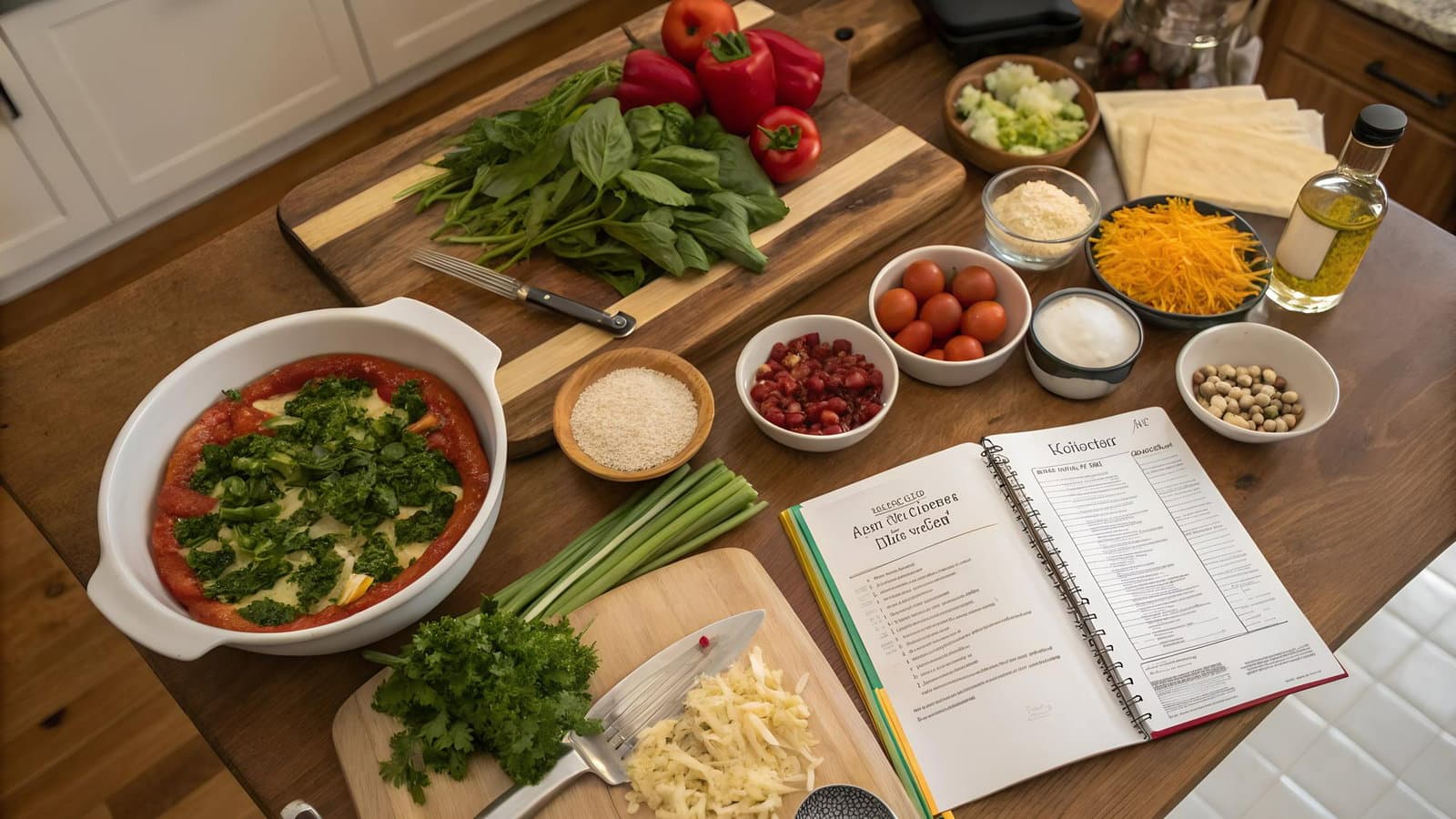
A recipe collection is a group of recipes organised under one theme - meal type, season, diet, occasion, ingredient. Collections give your Chefadora profile shape. They drive traffic to more than one recipe at a time. And through Chefadora's Earn Program, more traffic means more ad revenue. Building collections is one of the simplest things a creator can do to make their existing recipes work harder.
It's a curated group of recipes under a single name. "Weeknight Dinners Under 30 Minutes." "High Protein Meal Prep." "Nigerian Street Food Favourites." "Vegan Holiday Baking." You pick the theme, you pick the name, you decide what goes in.
Collections can hold your own recipes, recipes from other Chefadora creators, or both. A recipe can sit in multiple collections at once. There's no cap on how many you create.
Every collection you make is either public or private. Public collections live on your Chefadora profile, have their own shareable link, and are visible to anyone who visits your page. Private collections are yours alone - a working library, a draft shortlist, recipes you're saving for reference.
A single recipe lives on its page. That's it. A collection creates something bigger - it tells a visitor what kind of creator you are, what you make consistently, and what else is worth exploring on your profile.
Think about two creators who've both published 30 recipes. The first has them scattered across cuisines and meal types with no grouping. The second has the same 30 recipes organised into "Quick Asian Weeknights," "Plant-Based Comfort Food," and "5-Ingredient Bakes." The second creator's profile gives a visitor a reason to stay. It shows a point of view.
Collections also solve a real problem for older recipes. A recipe you published eight months ago isn't pulling the traffic it did on day one. Drop it into a well-named collection that gets shared regularly and it's back in rotation. Every time that collection gets shared, every recipe in it gets the benefit.
The best collections answer a question a cook is already asking. Not "Pasta Recipes" - that's a category. "Pasta Recipes Ready in 20 Minutes" is a collection someone would follow and come back to.
Some angles that consistently work:
Recipes built around PCOS, IBS, diabetes, coeliac cooking, or hypertension attract a specific, loyal audience. Cooks managing these conditions search repeatedly, save what works, and share within tight communities of people with the same needs. A well-labelled collection built around one of these is genuinely useful to them in a way a general recipe page isn't.
Holiday cooking, meal prep Sundays, quick school lunches, dinner party mains, brunch for a crowd. Occasion-based collections get shared because people reach for them at the same moments every year.
If your publishing focus is a specific regional cuisine - Nigerian, Nepalese, South Indian, Spanish - a collection of your best work in that space is how a new visitor finds the depth of what you've built. It's also how someone discovers that you're the creator to follow for that cuisine.
Vegan Baking. Gluten-Free Comfort Food. Dairy-Free Dinners. Chefadora tags every recipe for dietary categories automatically. A collection curated by a creator who actually cooks in that space adds trust that a filter result doesn't have.
"Recipes Using Tinned Chickpeas." "What to Do With Leftover Rice." "Banana Recipes That Aren't Banana Bread." These collections solve a specific problem at the exact moment of need. They get saved and shared as a resource.
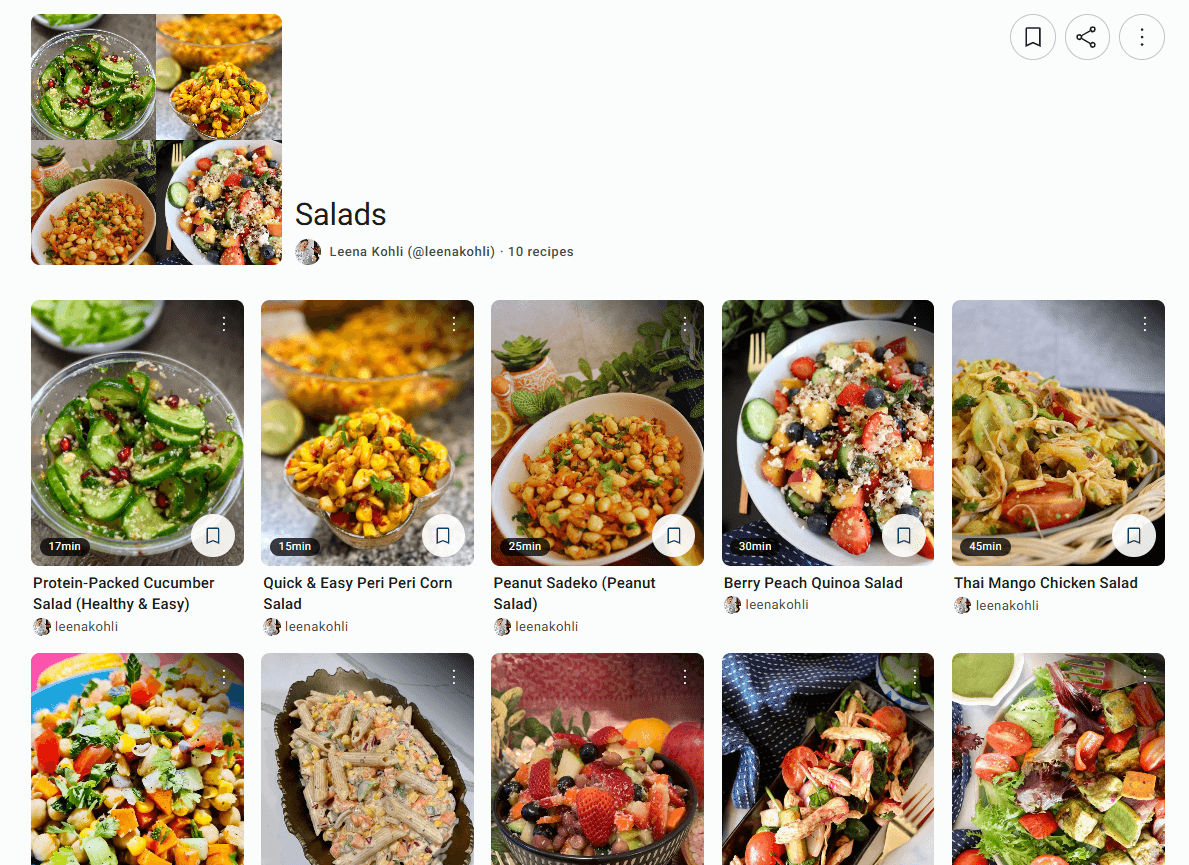
Not sure where to start? Browse an example collection on Chefadora for inspiration.
Salads by Leena Kohli | Chefadora
Creating a collection on Chefadora.com doesn't require any setup in advance. From any recipe page on the platform - yours or another creator's - you can save the recipe and add it to a collection in the same step. If the collection doesn't exist yet, you create it right there: give it a name, choose whether it's public or private, and it's live. If it already exists, you just drop the recipe in.
The same recipe can go into as many collections as you want. A gluten-free pasta dish can sit in "Gluten-Free Weeknights," "Quick Pasta Recipes," and "Coeliac-Friendly Cooking" at the same time, showing up wherever it's relevant without any duplication of effort.
Everything you build lives in your Recipe Library - all your saved recipes and all your collections in one place, easy to find and manage. Public collections get their own shareable link the moment they're created, so there's nothing extra to do before posting them on social media or sending them to your audience. The collection is ready to share as soon as you are.
For recipe creators
If you publish recipes on Chefadora, collections are how you turn a scattered library into a structured, navigable profile. Instead of leaving your published recipes to sit independently, you can group them by theme, diet, cuisine, occasion, or any angle that makes sense for your audience. A creator who publishes regularly across different recipe types can have separate collections running simultaneously - each one pulling in the right audience for that specific theme. Public collections are indexed on your profile and searchable, which means every new collection you build is another entry point for cooks to find your work.
For home cooks and users
Collections aren't just for creators who publish recipes. Anyone on Chefadora can build their own personal recipe collections from everything saved in their Recipe Library. Found a vegan curry from one creator and a gluten-free flatbread from another that go perfectly together? Add both to a "Friday Night Fakeaway" collection. Building out a week of meal prep recipes? Pull from across the platform and organise everything in one place. Your collections are yours to name and structure however works for you - and if you want to keep them private, they stay that way.
Create your first collection on Chefadora →
A few concrete reasons to build them early and keep them updated.
A visitor who lands on your page and sees well-named collections - "PCOS-Friendly Meal Prep," "30-Minute Indian Dinners," "Vegan Baking for Beginners" - knows immediately what you make. A flat grid of recipes doesn't do that. Collections give first-time visitors a way to navigate your work rather than scroll past it.
Every time a collection gets shared, every recipe in it gets traffic. A recipe from months ago can keep pulling views indefinitely if it sits in an active, well-promoted collection.
Someone who explores your "Weeknight Vegan Dinners" collection and clicks through five recipes in one session generates five view events from one share. Individual recipe links don't do that.
Not just individual recipes - a full collection has its own page, its own link, its own share button. "Here are my 12 best gluten-free dinners" is something you can post, pin, DM, and re-share every time it's relevant. It becomes a repeatable asset, not a one-time post.
Including other Chefadora creators' recipes in your collections shows your audience that you're paying attention to what's good on the platform - not just promoting your own work. That kind of editorial instinct builds a different kind of following.
A "Japanese Pantry Essentials" collection is a credible place for a miso paste or soy sauce affiliate link. The collection earns the trust; the recipe delivers the click. A random affiliate link in an unrelated recipe doesn't work the same way.
Public collections are part of your Chefadora creator page, which is optimised for search. A collection with a clear, specific name can surface to cooks searching for exactly that type of content - and pull them into your recipe library.
Chefadora's Earn Program runs on two tracks: ad revenue sharing and affiliate marketing. Both are directly tied to recipe views - and collections drive views to multiple recipes at once.
Once your recipes hit 10,000 total views across the platform, you can apply for the Standard Earn Program. Once approved, you receive 55% of the ad revenue generated from your recipe pages.
Collections make that 10,000 view threshold easier to reach. A well-promoted collection sends readers through multiple recipes in a single session. Five recipes in one visit means five view events. Your older recipes stop being dormant and start contributing to your total count.
The Chefadora Partner Program works differently - it's invite-only, for creators with strong engagement or an established audience elsewhere. Partners start earning immediately with no minimum view threshold, receive 55% ad revenue from day one, and keep 100% of affiliate earnings. If you think you qualify, you can submit an application through the Chefadora contact page.
Chefadora lets creators add affiliate links directly in their recipes - links to ingredients, equipment, or cookbooks they actually use. Collections built around a specific theme make those placements feel natural rather than forced.
A "Baking with Kids" collection is a credible home for a silicone mould or stand mixer affiliate link. A "Japanese Home Cooking" collection makes sense for a quality pantry ingredient link. The collection creates the context. The recipe delivers the click.
You sign up for an affiliate program separately - Amazon Associates is one option - and add your links to recipes directly on Chefadora. Affiliate commissions are yours in full, separate from ad revenue.
If you publish recipes on Chefadora - or you're about to - collections are the most straightforward thing you can do to make existing work more useful and more visible. Group by theme. Name them around what cooks actually search for. Make them public so they're shareable. Link them in your social posts. Put affiliate links in the recipes that belong in them.
The recipe you published six months ago doesn't have to just sit there. A collection brings it back into rotation every time someone shares it.
Create your first collection on Chefadora →
Q1. What is a custom recipe collection?
A1. A custom recipe collection is a group of recipes you organise under a theme you choose - a meal type, cuisine, diet, occasion, or ingredient. Instead of recipes sitting separately, a collection pulls them together into one shareable, navigable set.
Q2. Why should I organise my recipes into collections?
A2. Collections give your recipe library structure. They make your profile easier to explore, bring older recipes back into circulation every time the collection gets shared, and drive traffic to multiple recipes at once rather than one at a time.
Q3. Can a recipe appear in more than one collection?
A3. Yes. A single recipe can belong to multiple collections simultaneously - a gluten-free pasta dish can sit in "Gluten-Free Dinners," "Quick Weeknight Pasta," and "Coeliac-Friendly Cooking" at the same time.
Q4. Where can I build my own custom recipe collection?
A4. Chefadora. It's free, takes under two minutes to set up, and every public collection you create gets its own shareable link and lives on your creator profile. Start building on Chefadora →
Q5. What is a recipe collection on Chefadora?
A5. A collection on Chefadora is a named group of recipes you build on your profile. You can include your own published recipes, recipes from other creators, or both. Collections are public or private - public ones are shareable and appear on your profile, private ones are visible only to you.
Posted on 25 Jun 2026
Save recipes from anywhere, and get answers, swaps, and help as you cook.

