We use cookies on this website to ensure its proper functioning and to improve the quality of our services. Cookie Policy
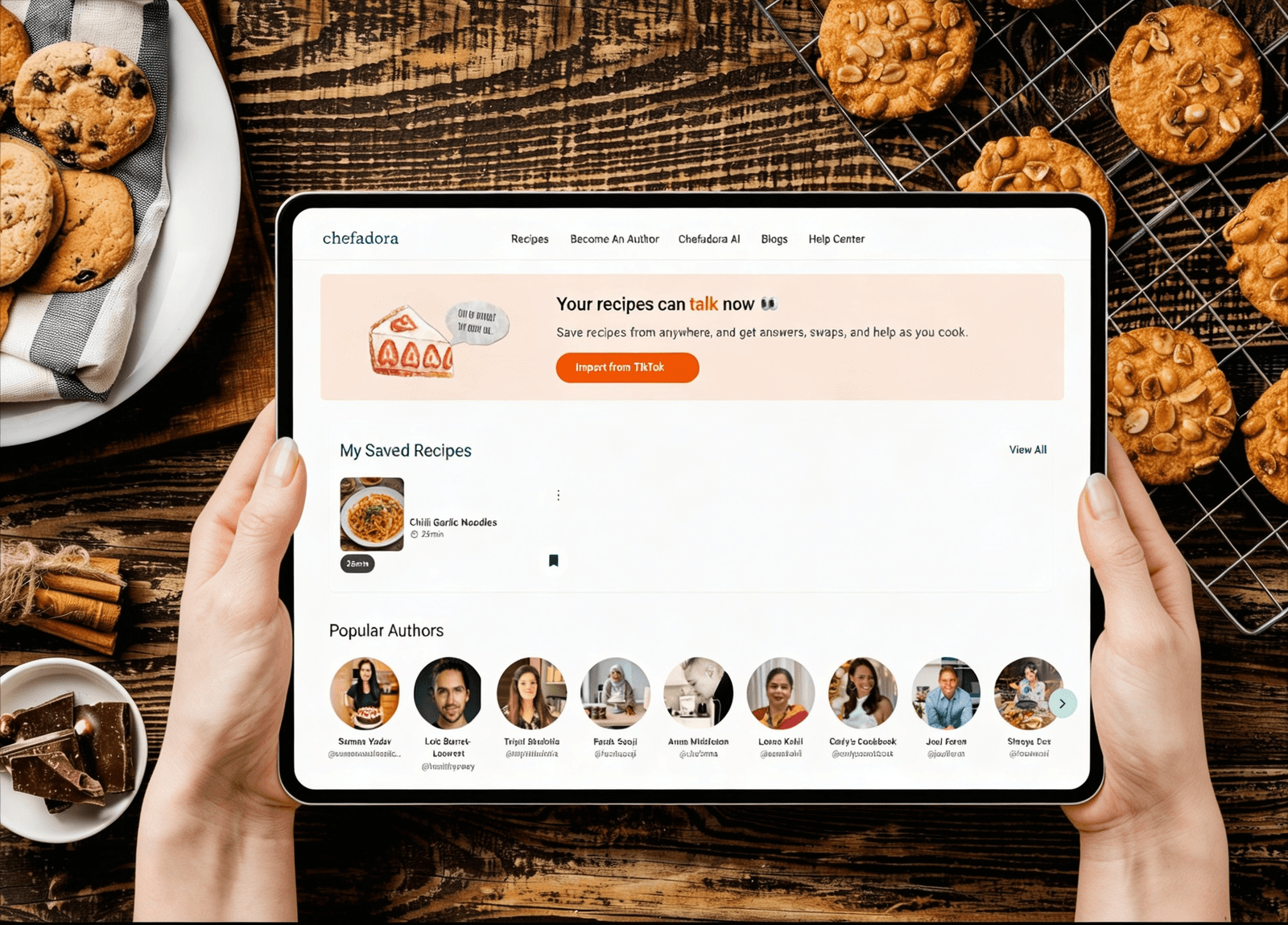
Chefadora just launched Recipe Import - a free feature that lets you import recipes from anywhere : social media links, food blogs, YouTube videos, or even photos of handwritten recipe cards. Paste a link or upload an image, and Chefadora's Recipe Genie turns it into a clean, formatted recipe with a full ingredient list (can be adjusted to your serving size) and step-by-step instructions, saved to your personal library automatically. You also get Ask AI built into every recipe page, so you can get instant help mid-cook without leaving the app. Free users get 5 imports and 10 AI questions per month.
You spot a recipe on TikTok. It looks incredible. You save the video, tell yourself you'll cook it this weekend, and then spend 20 minutes on Sunday scrolling through 300 saved videos trying to find it again.
Or maybe you have a box of your mum's handwritten recipe cards sitting in a drawer. Faded ink, a few grease stains, completely irreplaceable. You've been meaning to do something about them for years.
Both of those problems are now solved.
Chefadora's new Recipe Import feature lets you import recipes from anywhere - online or on paper and turns them into clean, perfectly formatted recipe pages, saved in your personal library. No typing. No screenshots. No losing things again.
Recipe Import is a tool that takes a recipe from wherever you found it and formats it to a well structured, properly written recipe, in Chefadora - ready to cook right away.
You can import recipes from anywhere :
Once you add your recipe, Chefadora's Recipe Genie reads it, pulls out every ingredient, organises the steps, and builds you a clean recipe page which is automatically saved to your library.
The result every single time :
Cooking for 2 instead of 4? Just change the number and every quantity updates on its own.
In a clear order of requirement. No digging through a video to find the next step.
No losing the recipe anymore. Nothing extra to do. It's there in your collection when you need it.
Every recipe you import on Chefadora comes with Ask AI built right into the page.
Cooking questions never come up before you start. They come up while your onions are browning and you realise you're out of something. Or when a step doesn't make sense. Or when something's gone wrong and you're not sure how to fix it.
Instead of leaving the recipe to search Google and losing your place, you just tap Ask AI and ask.
Real questions people use it for :
The answer comes straight to you, right there on the recipe page. No switching apps. No losing your place.
Yes - Recipe Import is free right now for all Chefadora users.
Here's exactly what the free plan includes:
Paid plans with unlimited imports and unlimited Ask AI are coming soon.
For now, the free plan is a solid way to see how much you actually use it.
Prefer to watch instead of read? Here's a full video walkthrough of Recipe Import in action or keep scrolling for the written step by step guide below.
The whole thing takes about a few minutes. Here's exactly what to do.
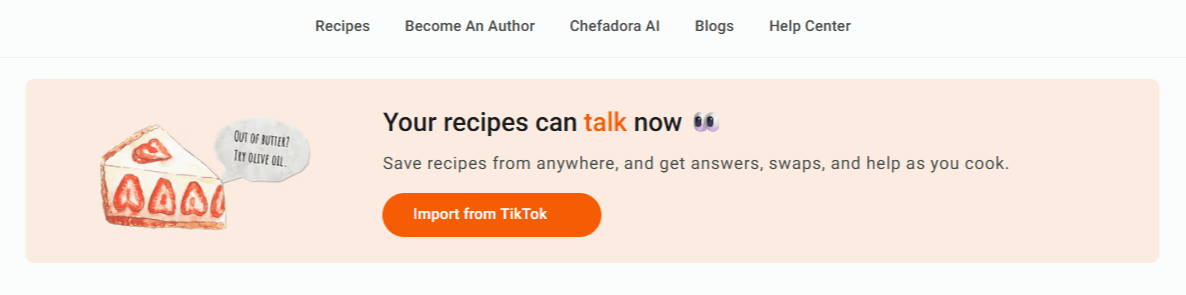
Open Chefadora and tap Import. This is your starting point whether you're importing a link or a photo.
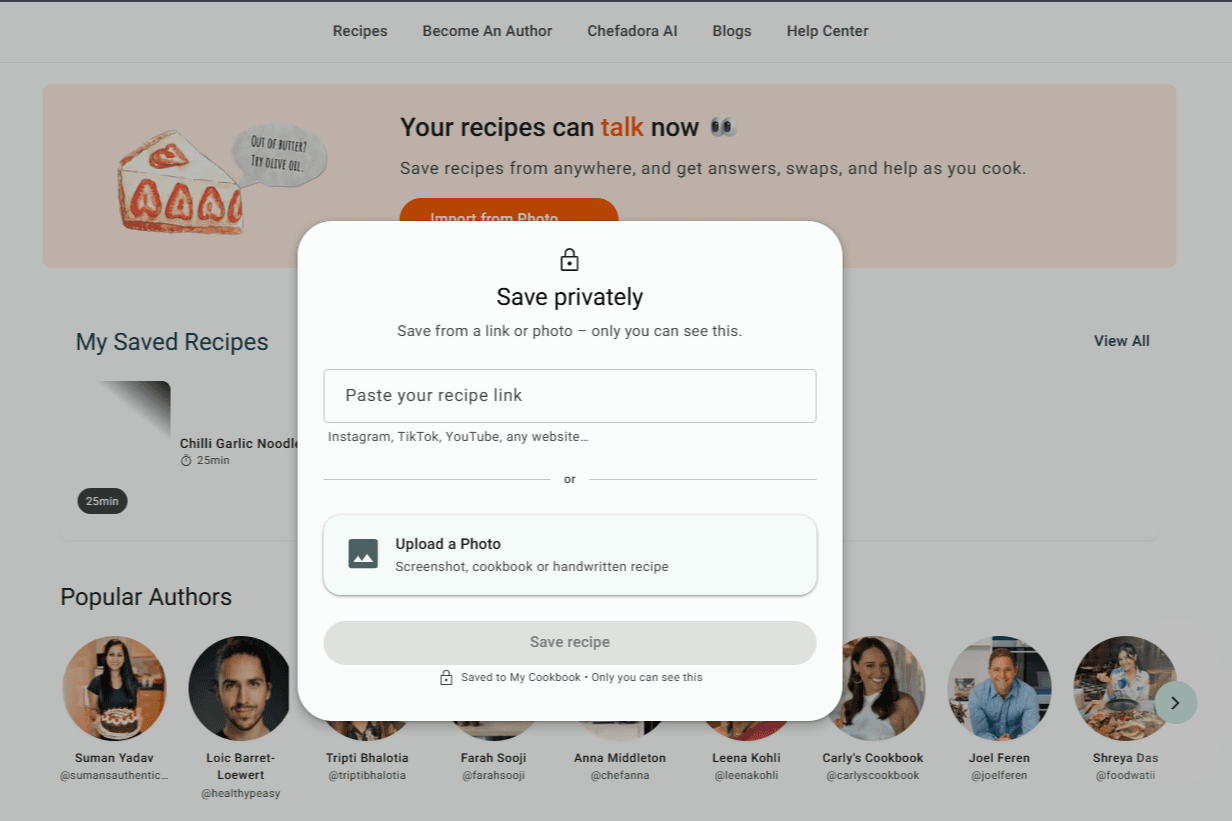
This is the only step that changes depending on where your recipe is.
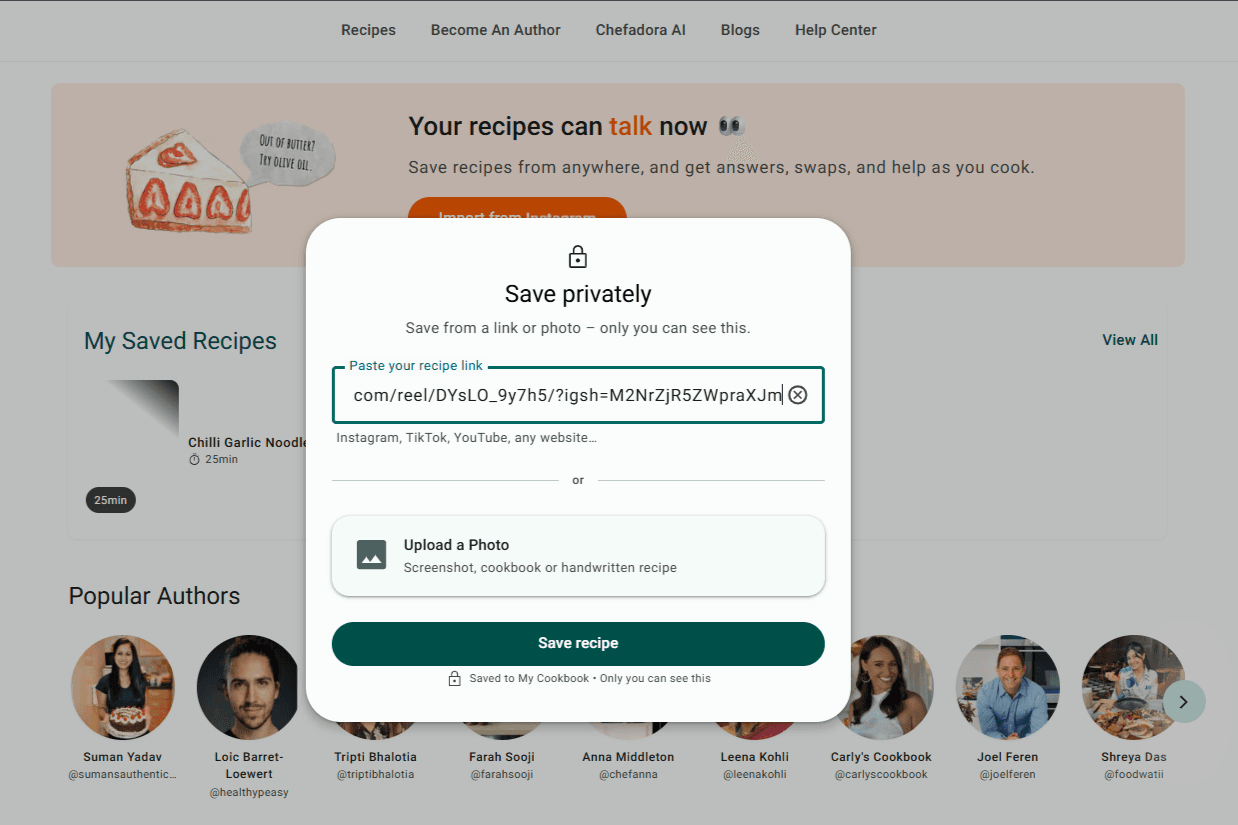
Copy the URL of the post, video, or page. Paste it into the box. Any public link from any platform works.
Tap the option to upload images. Take clear photos of your recipe - good daylight makes a big difference - and upload them. Multiple images are supported. If the recipe runs across two cards or three pages, upload them all together at once.
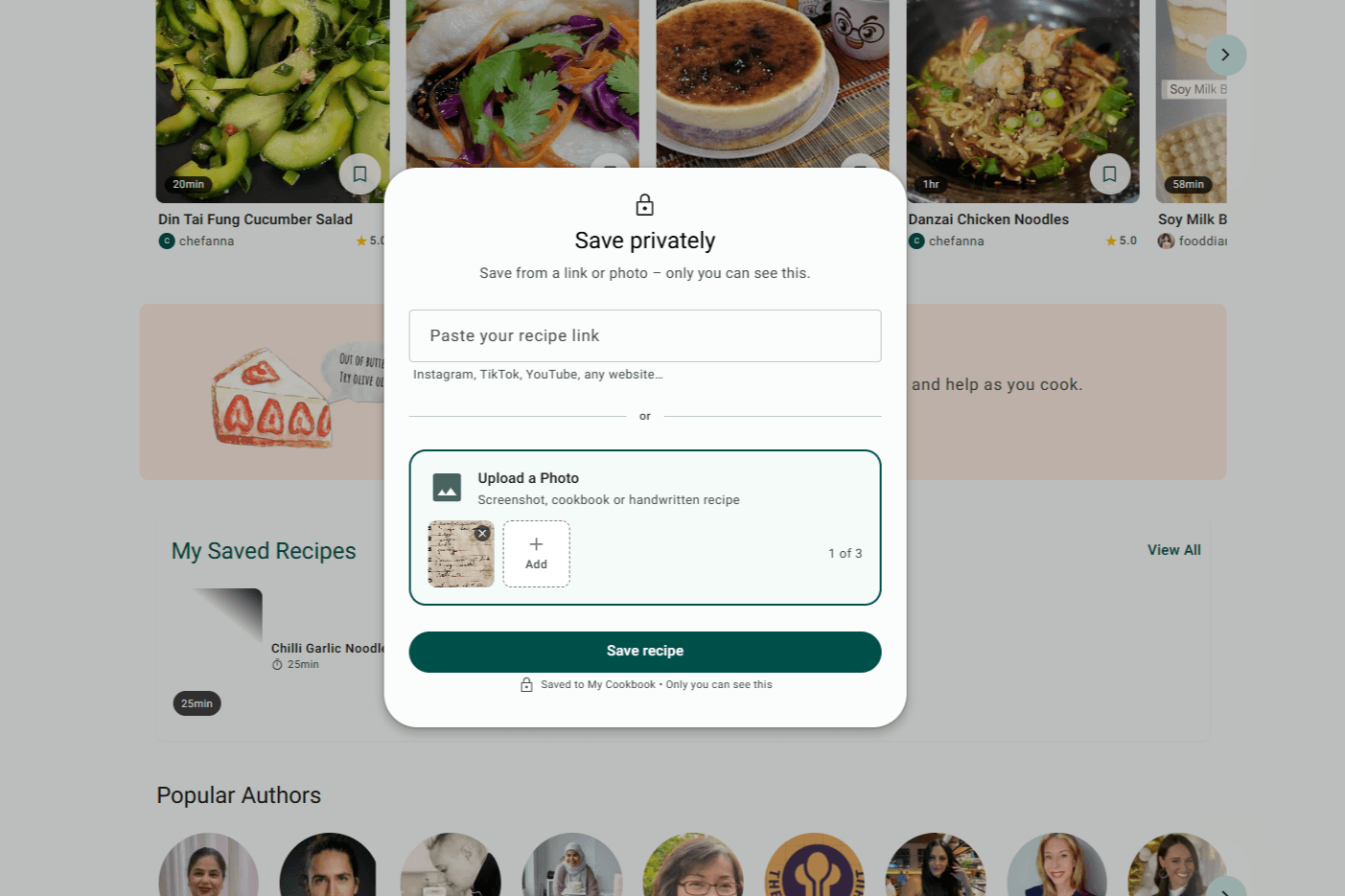
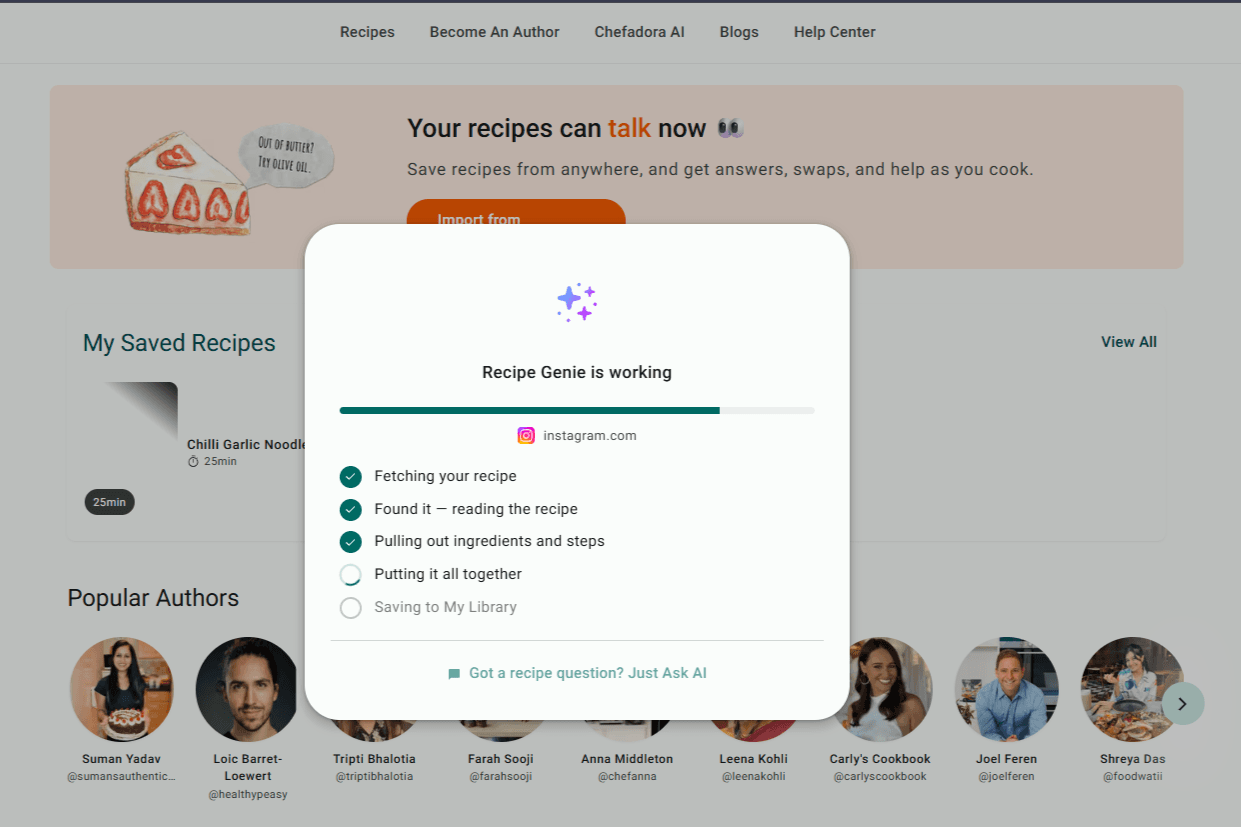
Tap Save Recipe and Recipe Genie gets straight to work - reading your recipe, pulling out every ingredient, sorting the steps, and formatting everything into a clean recipe page. It usually takes a couple of minutes. Worth every second.
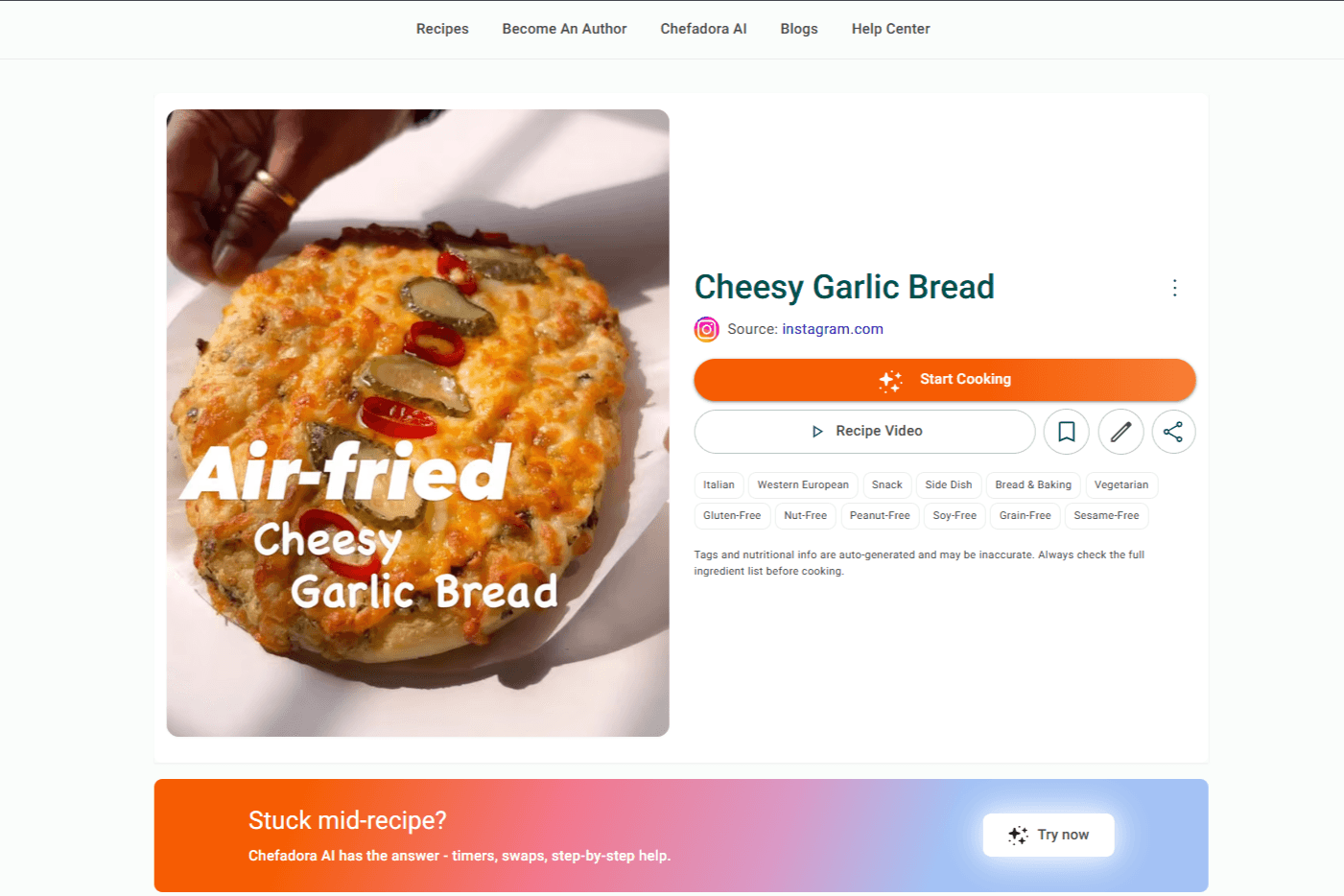
You'll land on a clean, formatted recipe page. The chaos of a video caption, a faded handwritten card, or a cluttered food blog page is gone. What's left is just a recipe you can actually cook from.
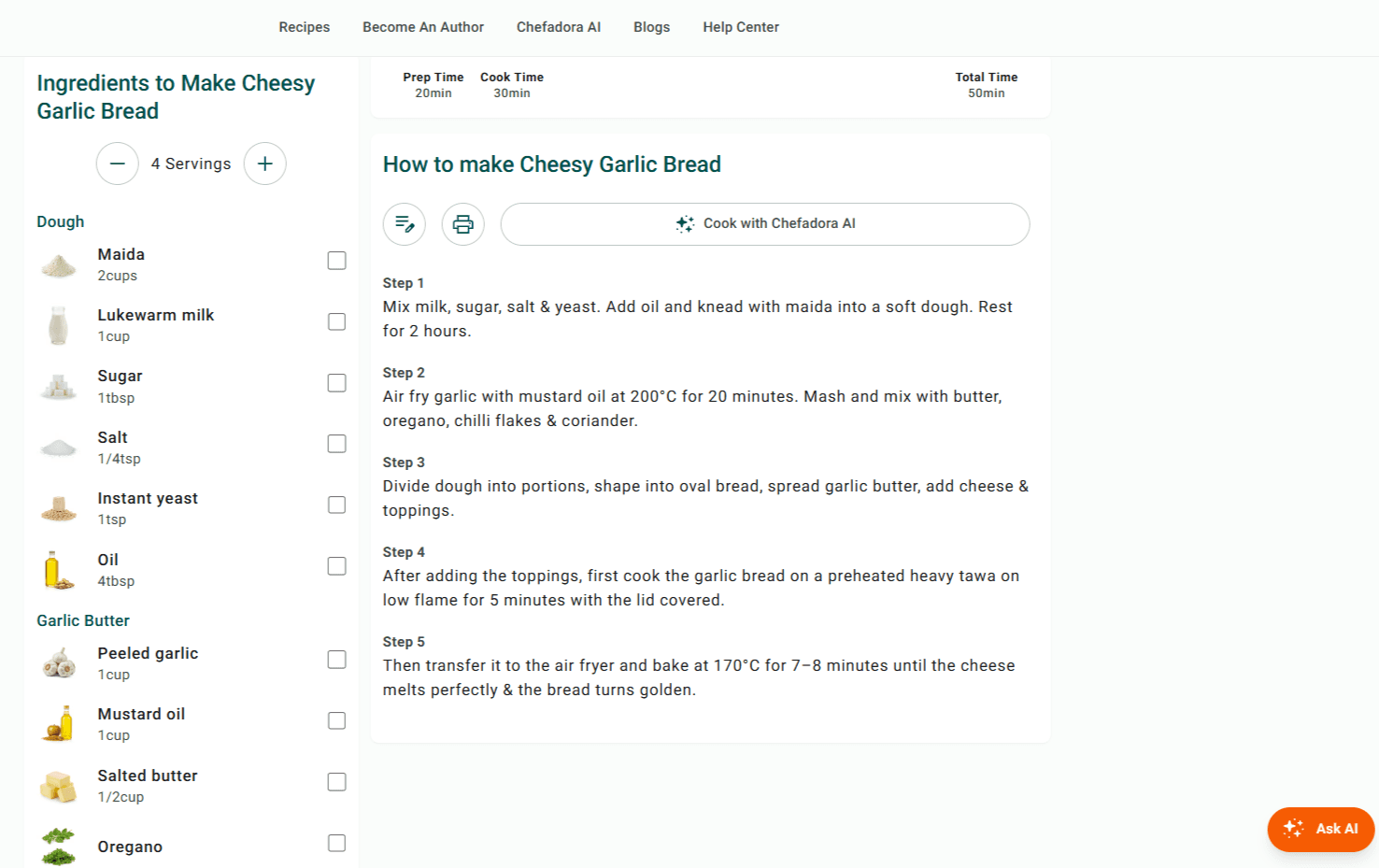
Scroll down to find your full ingredient list and step-by-step instructions.
Change the serving size and every ingredient quantity updates automatically. No mental maths, no guessing.
Confused by a step? Missing an ingredient? Something's gone sideways? Tap Ask AI and type your question - your answer is right there on the page, without leaving the recipe.
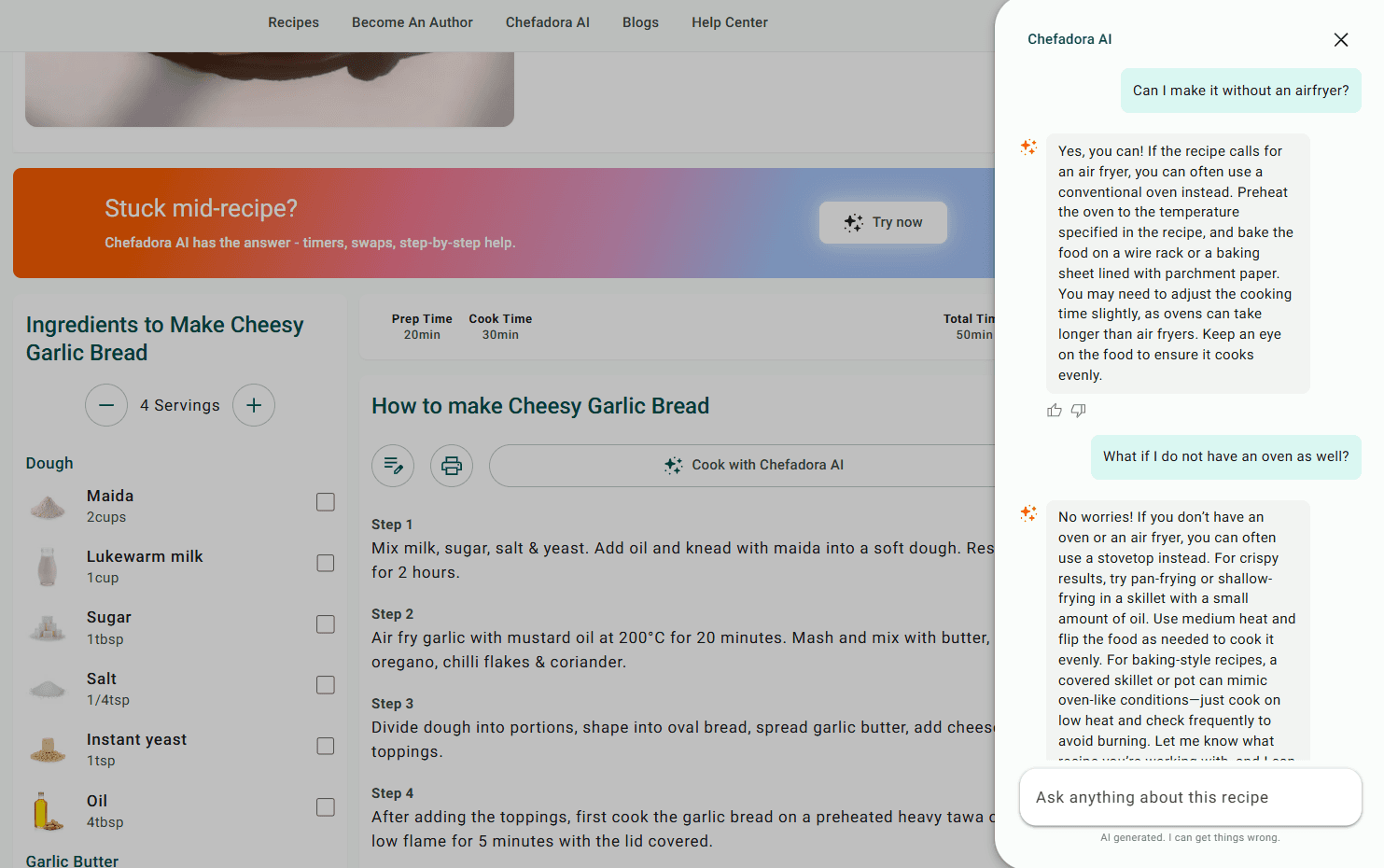
And that's it.
Your recipe is sitting in your Saved Recipes section - formatted, ready to cook from, and there every time you need it. No extra steps, no hunting for it later.
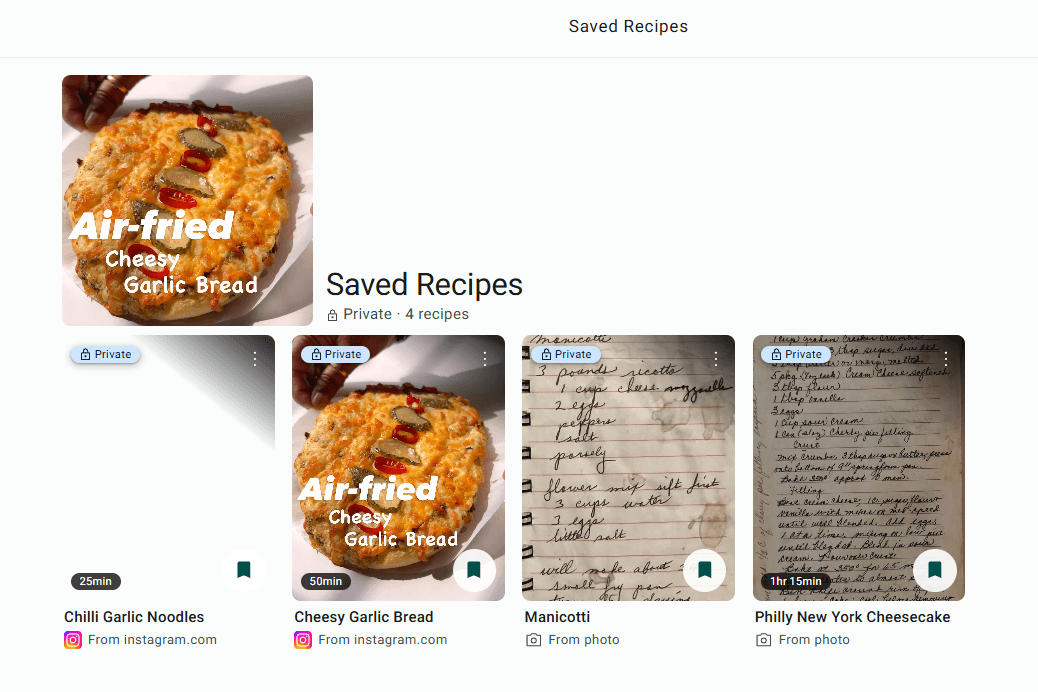
Ready to start? Import your first recipe for free - no card required, no catch.
For link imports:
For image and handwritten recipe imports:
Q1. Can I import recipes from any website?
A1. Yes. Any public recipe page - food blog, recipe site, YouTube, TikTok, Instagram, Facebook - works with Recipe Import. If it's publicly accessible and has a URL, paste it in.
Q2. Does Recipe Import work with handwritten recipes?
A2. Yes. Upload clear photos of your handwritten recipe cards, notebook pages, or cookbook pages and Recipe Genie will read and format them. Multiple images are supported if your recipe spans more than one page.
Q3. What if the recipe is only in a video with no written caption?
A3. Recipe Genie will do its best to pull the recipe from the video content. Recipes with written captions or descriptions give the most accurate results, but video-only recipes often import well too.
Q4. Can I adjust serving sizes after importing?
A4. Yes - and this is one of the most useful things about it. Every imported recipe has a serving size control. Change the number and every ingredient quantity recalculates automatically.
Q5. Can I use Ask AI on any imported recipe?
A5. Yes. Every recipe page - imported from a link or a photo - has Ask AI built in. Tap it any time during cooking to ask anything: ingredient substitutes, technique questions, rescuing something that went wrong, anything.
Q6. What languages does Recipe Import support?
A6. Recipe Genie handles multiple languages, so you can import recipes that aren't in English.
Q7. What happens when I've used my 5 free imports?
A7. They reset at the start of the next month. Unlimited imports are coming with the paid subscription plan, which launches soon.
Q8. Can I edit my imported recipe?
A8. Yes, you can edit any saved recipe manually from your library. If you keep running into an issue, the Chefadora support team is easy to reach.
Questions about Recipe Import? Head to the Chefadora Help Center or reach out to the team directly.
The TikTok you rewatched four times before attempting the dish. The food blog you bookmarked and never went back to. Your nan's handwritten card for that recipe you've been trying to recreate since you were a kid. All of it can live in one place now. Formatted properly. Adjusted to whatever you're cooking for. With an AI that can answer your questions while you're standing at the stove. Only with Chefadora.
Updated on 17 Jun 2026

Save recipes from anywhere, and get answers, swaps, and help as you cook.


