We use cookies on this website to ensure its proper functioning and to improve the quality of our services. Cookie Policy
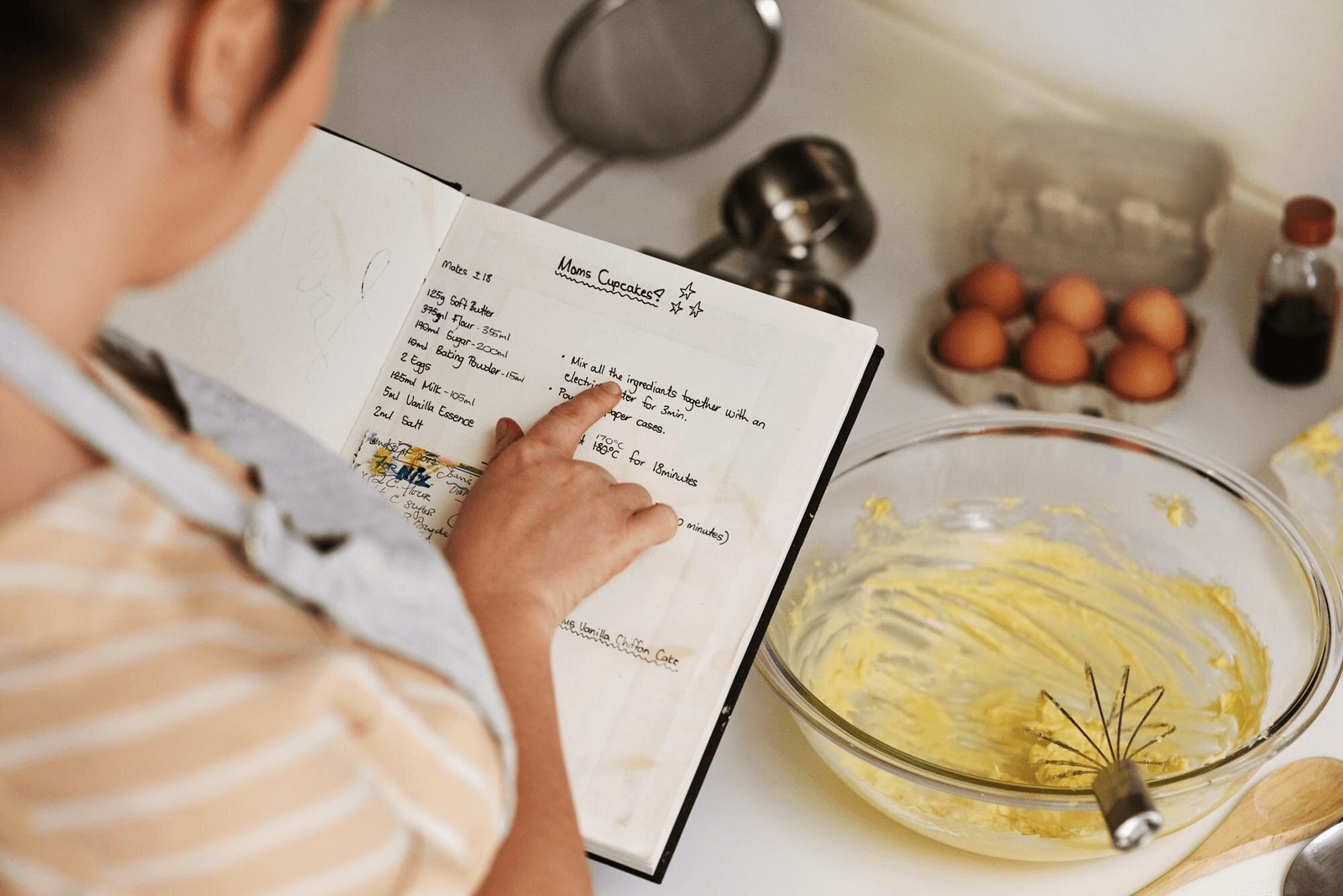
The best way to share family recipes is to give each recipe a proper digital home. Chefadora.com lets you publish family recipes for free, create a public recipe page, share it with one link, and make it easier for others to find through Google. You can also import recipes from Instagram, YouTube, blogs, and other platforms. For handwritten recipes, Chefadora’s Recipe Import feature allows users to upload an image of an old recipe card, notebook page, or handwritten note. RecipeGenie then helps convert it into a clean, structured digital recipe that is easy to save, cook from, and share.
There is a specific kind of loss that happens slowly, and then all at once.
First, the person who made the dish is gone. Then the recipe card is lost during a move. Then the dish exists only in someone’s memory as a taste they cannot fully recreate. Years later, even that memory starts to fade.
Most family recipes are not lost because no one cared. They are lost because no one built a proper place for them to live.
A screenshot in a WhatsApp group is not enough. A faded notebook in a drawer is not enough. A recipe posted once on social media can disappear under years of content.
Chefadora gives family recipes a place where they can be written, structured, shared, and found again. Whether the recipe is handwritten, saved on Instagram, buried in a blog, or remembered by someone in the family, Chefadora helps turn it into a digital recipe that can be cooked, shared, and passed on.
The best way to share a family recipe online is to give it a proper recipe page.
A good recipe page should work on any device, open in any country, and be easy to share with one link. It should not require the viewer to download an app or create an account just to read the recipe.
That is what Chefadora helps you do.
Every recipe you publish on Chefadora gets its own :
This makes the recipe easier to read, easier to cook from, and easier to share with relatives.
Chefadora also helps recipes become more searchable. Instead of keeping a family recipe hidden in a private message thread or phone gallery, you can publish it on a page that has a better chance of being found through Google by dish name, ingredient, or cuisine.
The common alternatives most families use, like WhatsApp messages, screenshots, shared folders, or old PDFs, work only for a while. They are easy to lose, difficult to organize, and usually hard to search later.
A Chefadora recipe page gives the recipe a cleaner, more lasting place to live.
Family recipes usually disappear in three ways. Each one has a simple fix.
This is the “cook until it smells right” recipe.
The one where the measurements were never written down because the person making it had made it a thousand times. The one where “a little more water” or “one handful of flour” made perfect sense to the person cooking, but not to anyone trying to recreate it later.
The best way to preserve this kind of recipe is to cook with the person who knows it. Write down what they do. Record a simple phone video if needed. Ask about the small details: when to lower the flame, what texture to look for, which ingredient should not be skipped.
Once you have the rough version, add it to Chefadora. The recipe editor gives you space to structure the ingredients and method, while the notes field lets you keep the personal details that make the recipe special.
Some family recipes live on index cards, old notebooks, newspaper clippings, magazine cutouts, or loose pages kept inside kitchen drawers.
These recipes have a lifespan. Paper fades. Ink smudges. Pages tear. Sometimes the handwriting becomes difficult to read before anyone realizes the recipe is at risk.
The first step is simple: photograph or scan the recipe while it is still readable.
With Chefadora’s Recipe Import feature, you can upload an image of a handwritten recipe and let RecipeGenie help convert it into a digital version. Instead of typing everything manually, you get a cleaner structure that you can review, edit, and publish.
Learn how to do it from this step-by-step guide.
The original handwriting still matters. It carries memory. But the digital version makes the recipe practical for everyday cooking.
Many family recipes are no longer only on paper. They may be saved as Instagram posts, YouTube descriptions, food blog entries, PDFs, old Facebook posts, or screenshots.
The problem is that they are scattered.
One recipe is in a caption. Another is in an old blog. One is saved in a phone gallery. Another is on a platform no one in the family uses anymore.
Chefadora helps bring these recipes into one place. With the recipe import feature, users can import existing recipes from Instagram, YouTube, blogs, and other platforms into their Chefadora profile.
This way, your family recipes do not stay spread across apps, feeds, and folders. They become part of one organized recipe collection.
Digitizing old handwritten family recipes is much easier with Chefadora’s Recipe Import feature.
Instead of manually typing every line from an old recipe card, faded notebook, or handwritten family note, users can upload an image of the recipe directly to Chefadora. RecipeGenie then helps convert that image into a digital recipe with a clear ingredient list, step-by-step method, and proper recipe formatting.
Take a clear photo or scan of the original recipe.
This could be a recipe card, a spiral notebook page, a handwritten note, or an old sheet of paper passed down in the family. Try to capture the full page in good lighting so the handwriting is easy to read.
Do not throw away the original after this. The handwriting, stains, crossed-out measurements, and margin notes are part of the recipe’s story.
Use Chefadora’s Recipe Import feature to upload the handwritten recipe image.
This removes the need to start from a blank recipe editor or type everything manually from scratch. It is especially useful for families with older recipe collections, where recipes may be written across cards, notebooks, and loose papers.
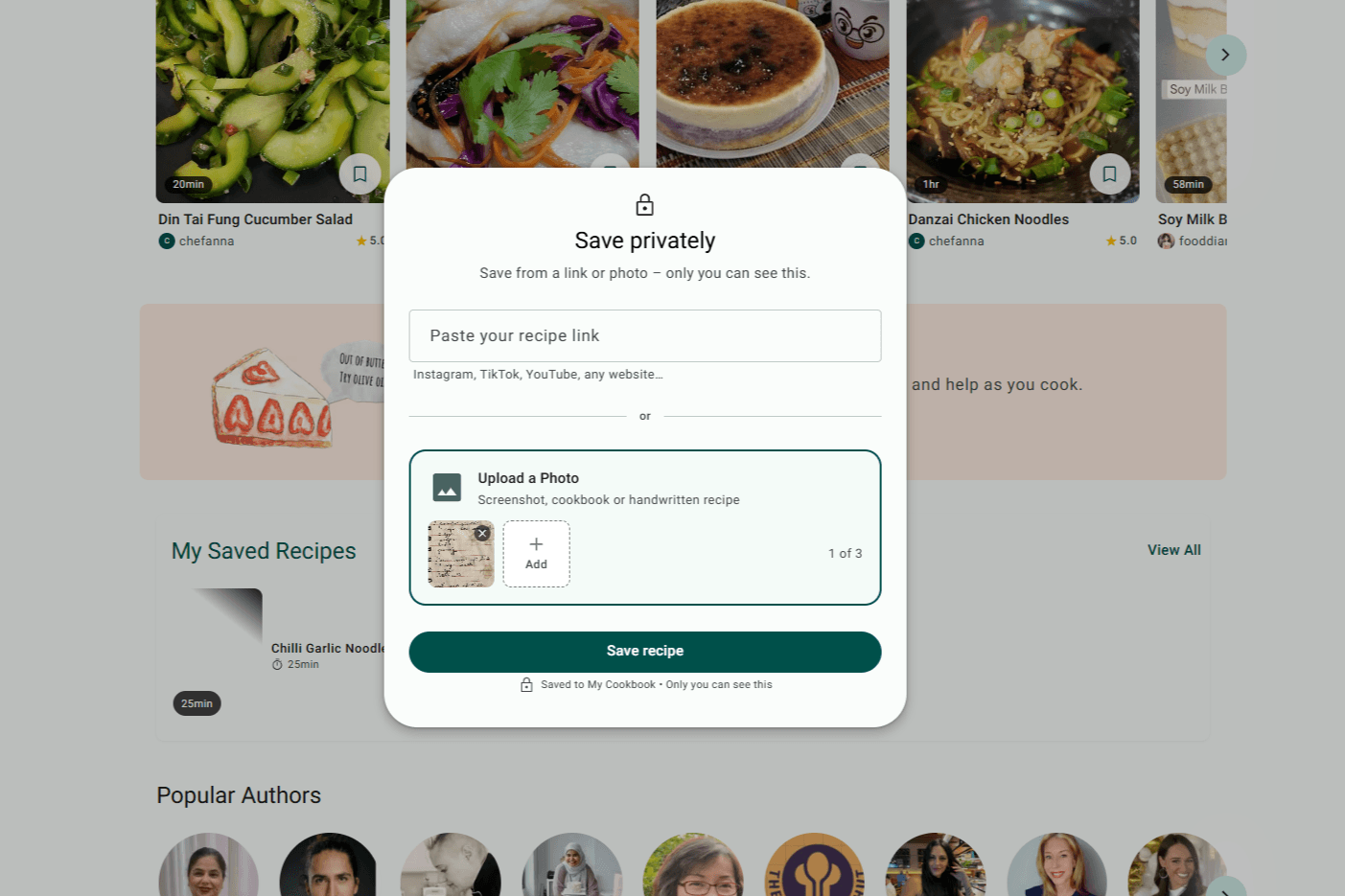
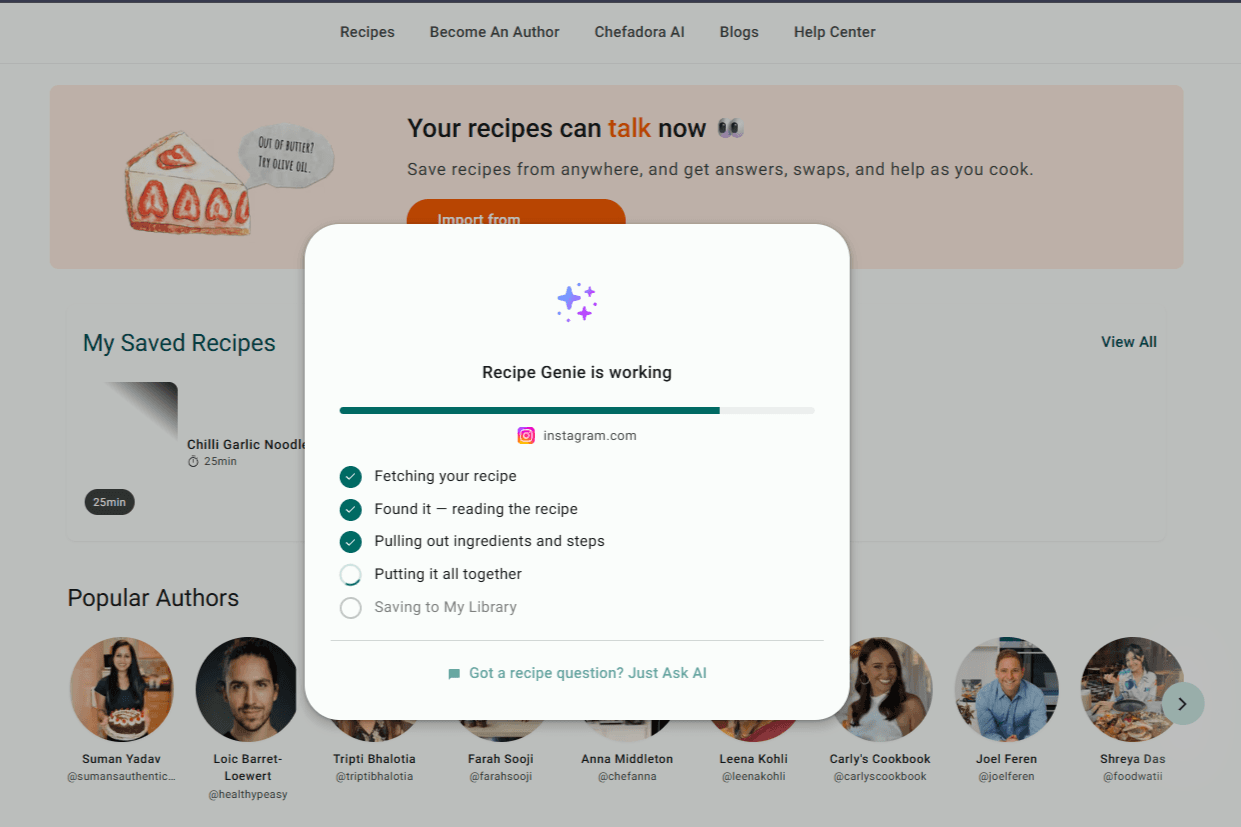
Chefadora’s RecipeGenie helps read the uploaded recipe and turn it into a cleaner digital version.
It identifies the ingredients, quantities, cooking steps, and other recipe details. Then it arranges them into a proper recipe format that is easier to read and follow.
This helps turn a handwritten family note into a recipe someone can actually cook from.
Old family recipes often include vague instructions like “add enough water,” “cook until done,” or “use a little masala.”
After RecipeGenie structures the recipe, review it once. Keep the original meaning, but make the cooking version easier for the next person to follow.
You can adjust measurements, add missing steps, clarify cooking time, and include any family-specific tips that may not have been written in the original.
Step 5: Add the Family Story
This is the part that makes the recipe special.
Who made this recipe? Was it cooked during festivals, Sunday lunches, birthdays, weddings, or winter evenings? Did one family member always make it a little differently? Was there a secret tip that everyone knew but no one wrote down?
Chefadora’s description and notes fields are useful for preserving these details.
The ingredients and method tell someone how to cook the dish. The story tells them why the dish mattered.
Once the recipe is ready, publish it on Chefadora.
The recipe gets its own page, which can be shared with relatives through WhatsApp, email, text, or any other platform. The handwritten original remains a memory, while the Chefadora version becomes the recipe your family can actually cook from.
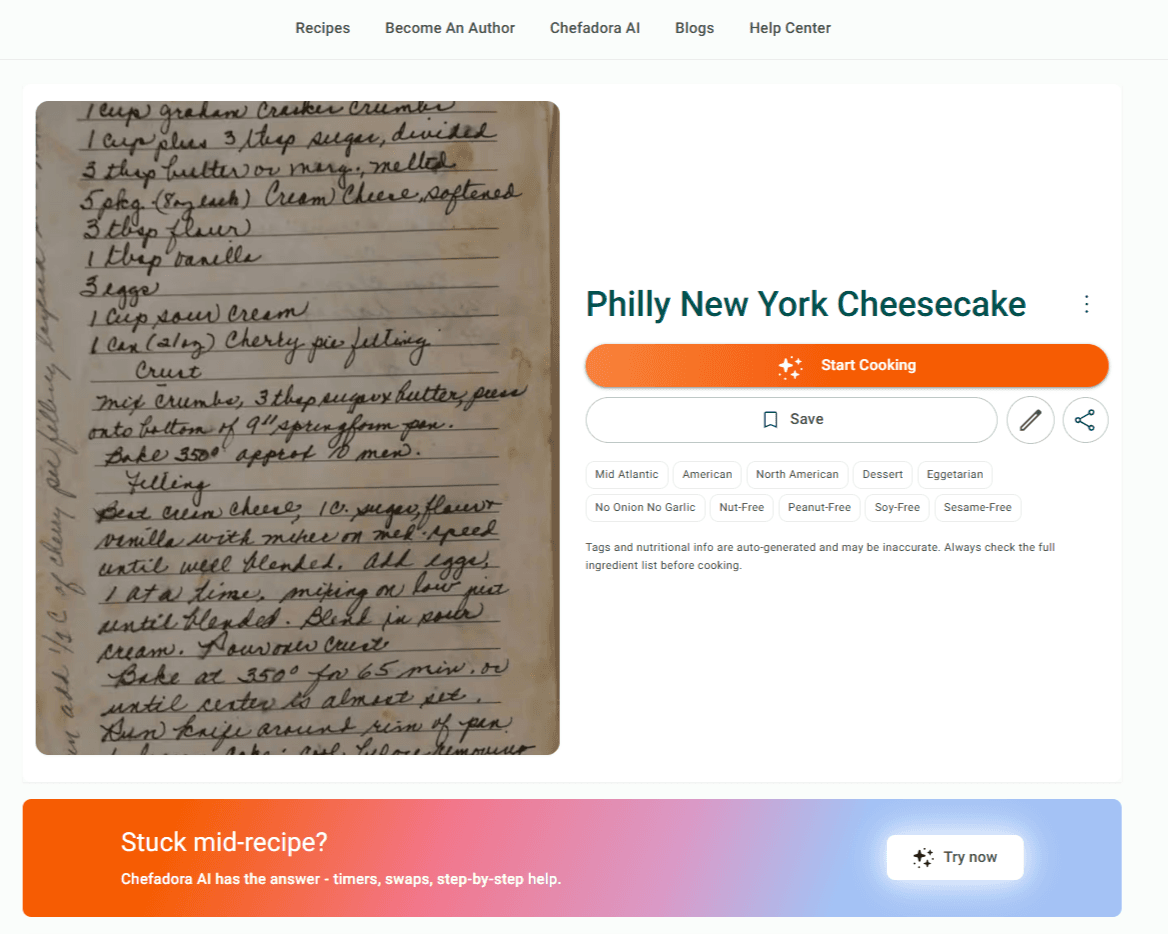
For a deeper walkthrough, read this detailed guide on using the Recipe Import feature and learn how handwritten recipes can be converted into structured digital recipes with RecipeGenie : Use Chefadora's Recipe Import to Save Recipes
This is a real, everyday problem for families spread across cities, countries, and continents.
One branch of the family may live in India. Another may be in the United States, Canada, the United Kingdom, Australia, or the Middle East. The same family dish may be made slightly differently in each home.
The practical requirement is simple : one link.
A published Chefadora recipe page can be shared through WhatsApp, email, text, or any other platform. The person receiving it can open the recipe in a browser and see the ingredients, steps, cooking details, and notes.
They do not need to search through an old chat. They do not need to ask someone to resend a photo. They do not need to guess which screenshot had the correct version.
For family recipes with variations, each version can be published separately. Your mother’s version, your aunt’s version, and your grandmother’s version can all live on your Chefadora profile, each with its own notes and story.
That way, the recipe is not just shared once. It stays available whenever someone needs it.
You can create a profile, publish recipes, use recipe import features, and start building your recipe collection without a subscription. This makes it useful for families, home cooks, food creators, and anyone who wants to preserve recipes without setting up a blog or website.
Here is what Chefadora gives you that a basic document, social post, or private folder usually does not.
Each recipe on Chefadora is formatted like a proper recipe, with space for ingredients, cooking steps, prep time, cook time, yield, notes, and images.
This makes the recipe easier to read and more useful for cooking.
Chefadora helps structure recipes in a way that supports search visibility. This gives your recipe a better chance of being found by people searching for that dish, ingredient, or cuisine.
For family recipes, this matters because many people search for specific regional dishes, festival foods, or traditional cooking methods.
Every recipe is connected to your Chefadora profile.
If you publish your grandmother’s pickle recipe, your family’s festive sweet, or your version of a regional curry, it lives under your name and your profile. This helps preserve not only the recipe, but also the person sharing it.
Social media posts get buried. Screenshots get lost. PDFs become outdated.
Chefadora recipes live as individual pages on your profile. This makes them easier to organize, update, and share.
A family digital cookbook sounds simple: all your recipes in one place, organized and easy to share.
But most common formats have limits. A PDF is difficult to update. A Google Doc can become messy. A printed book is beautiful, but not easy to search. A folder of screenshots can quickly become impossible to manage.
On Chefadora, your profile can work like a living digital cookbook.
Each family recipe becomes its own page. Your profile becomes the collection. A relative can open one recipe link, browse your other recipes, and cook from them whenever they need to.
Start by importing the recipes that already exist online. If your family recipes are on Instagram, YouTube, blogs, or other platforms, Chefadora’s import feature helps bring them into your Chefadora profile.
Then add the handwritten recipes. Upload images of old recipe cards, notebooks, or handwritten notes through the Recipe Import feature. RecipeGenie helps turn them into structured digital recipes, and you can review them before publishing.
Over time, your Chefadora profile becomes more than a recipe list. It becomes a family food archive that is easy to share, update, and discover.
Chefadora works well for family recipes because it solves three common problems at once: preservation, structure, and sharing.
Instead of living as a screenshot, chat message, or fading piece of paper, the recipe gets a clean digital format.
You can add the title, ingredients, steps, cooking details, notes, images, and author information. This makes the recipe easier to cook from and easier to pass on.
There is a difference between saving a recipe and making it findable.
A recipe saved in a folder may exist, but only the person with access to that folder can find it. A recipe buried in a social post may exist, but it may be hard to locate later.
Chefadora helps recipes become more searchable by giving them structured recipe pages. This means a family recipe has a better chance of being discovered by people searching for that dish, ingredient, or cuisine.
Family recipes are not just instructions.
They carry memory, ownership, and story. On Chefadora, your recipes live under your profile, with your name, your notes, and your version of the dish.
This is especially important for family recipes, because the story behind the recipe is often as meaningful as the recipe itself.
Chefadora also supports creators who want to grow beyond family sharing.
Through its earning features, recipe creators can earn from page views and add affiliate links where relevant. For families with large recipe collections, this can turn a personal archive into something that also creates long-term value.
The main reason to publish family recipes is preservation. But if your recipes also help other people cook, discover, and learn, Chefadora gives them room to reach a wider audience.
Start with the recipe you would be most upset to lose.
If the recipe is handwritten, take a clear photo or scan and upload it through Chefadora’s Recipe Import feature. RecipeGenie will help convert it into a structured digital recipe that you can review, edit, and publish.
If the recipe already exists online, use Chefadora’s import feature to bring it in from Instagram, YouTube, a blog, or another platform.
If the recipe only exists in someone’s memory, sit with that person, cook the dish together, and write down what they do. Then add it to Chefadora with ingredients, steps, and notes.
You do not need to digitize everything in one day. Start with one recipe. Then add another next week. Slowly, your Chefadora profile can become your family’s digital cookbook.
Create your free Chefadora profile and turn it into a recipe that can live beyond the drawer.
A1. The best way to share family recipes online is to publish each recipe on a platform that gives it a proper digital recipe page and a shareable link. Chefadora lets you publish recipes for free, add ingredients and steps, include notes, and share the recipe with relatives through one link.
A2. Start by capturing the original recipe. If it is handwritten, take a clear photo or scan. Then upload it to Chefadora using the Recipe Import feature, where RecipeGenie helps turn it into a structured digital recipe. You can also import recipes from Instagram, YouTube, blogs, and other platforms.
A3. You can digitize handwritten family recipes by taking a clear photo or scan of the original recipe and uploading it through Chefadora’s Recipe Import feature. Chefadora’s RecipeGenie helps convert the image into a structured digital recipe with ingredients, steps, and formatting. You can then review the recipe, add family notes, and publish it on your Chefadora profile.
A4. Yes. A published Chefadora recipe can be shared through a link. You can send it through WhatsApp, email, text, or any other platform. Your relative can open the recipe page and cook from it without searching through old messages or screenshots.
A5. Yes. Chefadora is free for creating a profile, publishing recipes, and using recipe import features. This makes it useful for families who want to preserve recipes without creating a website or maintaining a separate blog.
A6. Use Chefadora’s recipe import feature to bring recipes from platforms like Instagram, YouTube, blogs, and other recipe sites into your Chefadora profile. This helps you collect scattered recipes in one organized place.
Posted on 23 Jun 2026
Save recipes from anywhere, and get answers, swaps, and help as you cook.

