We use cookies on this website to ensure its proper functioning and to improve the quality of our services. Cookie Policy
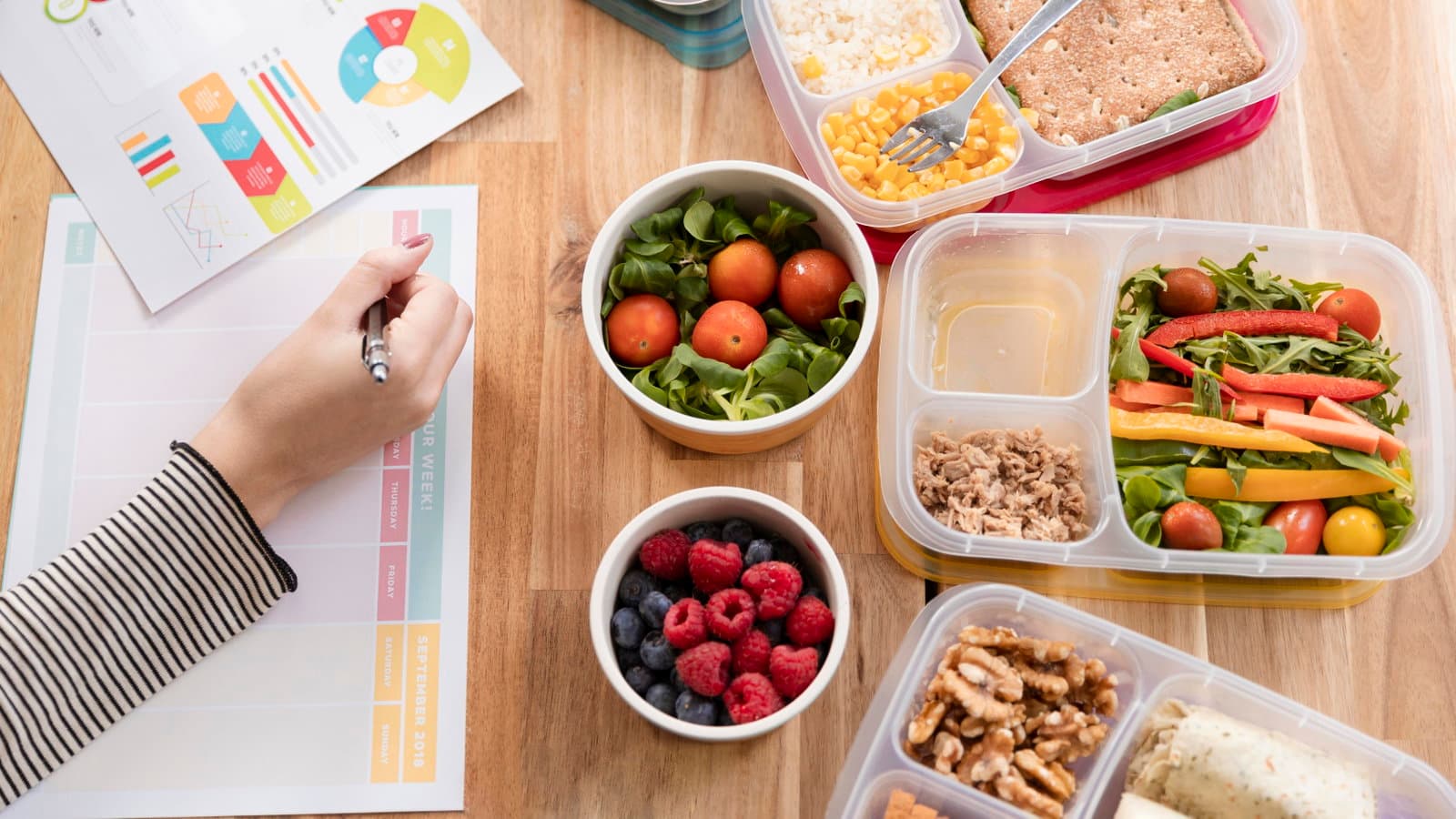
Meal planning with saved recipes works when your tool lets you pull from your own collection, adjust for how many people you are feeding, and generate a shopping list automatically. The meal planner at Chefadora.com does all three. This guide walks through the full process, including how to build a plan that actually fits dietary restrictions and does not collapse by Wednesday.
Meal planning sounds simple until you try it. You save thirty recipes, open a blank notes app on Sunday, and still end up ordering in by Tuesday.
It is not a motivation problem. It is not willpower. It is just the gap between having recipes saved somewhere and having a real system to turn them into a week of food that fits your actual life.
Here is what that gap looked like in practice. Before switching to a proper tool, meal planning was happening on a magnetic whiteboard on the fridge. It worked, kind of. The week was visible. But it was always just one week at a time - there was no way to look further ahead, so grocery shopping happened in small, repeated bursts. Dal and rice were always running out. Staples never felt stocked. Not a system. Just a whiteboard with good intentions.
The other issue with most meal planning apps is that they only let you use their recipes. That is not how most people cook. You have a recipe you follow from a website, one or two you know by heart, and a breakfast you have never needed to look up. Most tools ignore that completely, and that is exactly why people save recipes and still never build a real plan. Chefadora is a recipe publishing and meal planning platform used across 190+ countries, and it is built around how people actually cook - not how apps assume they do.
Meal planning means deciding what you will eat across a set number of days before the week starts, then building a shopping list from those decisions. According to the USDA, around 60% of people now meal prep in some form, up from about 35% in 2018. When you already know what you are eating, you stop making the same decision three times a day - and that adds up.
The practical benefits are more specific than "saves time." When you meal plan with saved recipes you already know and like, you buy what you need and not much else. No ingredients go soft in the fridge because you bought them on impulse. No ordering food at 8pm because nothing in the kitchen fits together into a meal.
For people managing dietary restrictions, this matters even more. If you have PCOS, thyroid issues, or any condition that requires eating in a particular way, leaving food decisions to the moment almost guarantees you will eat whatever is quickest - which is usually not what your body needs. A plan removes that gamble.
For beginners, meal planning does not need to be elaborate. A loose plan for four or five days is enough to change how you shop and how often you actually cook from home.
To meal plan with saved recipes: open your meal planner, set your serving size, choose the days you want to cover, and add recipes from your saved collection, the platform library, or your own notes.
Here is how that works on Chefadora specifically :
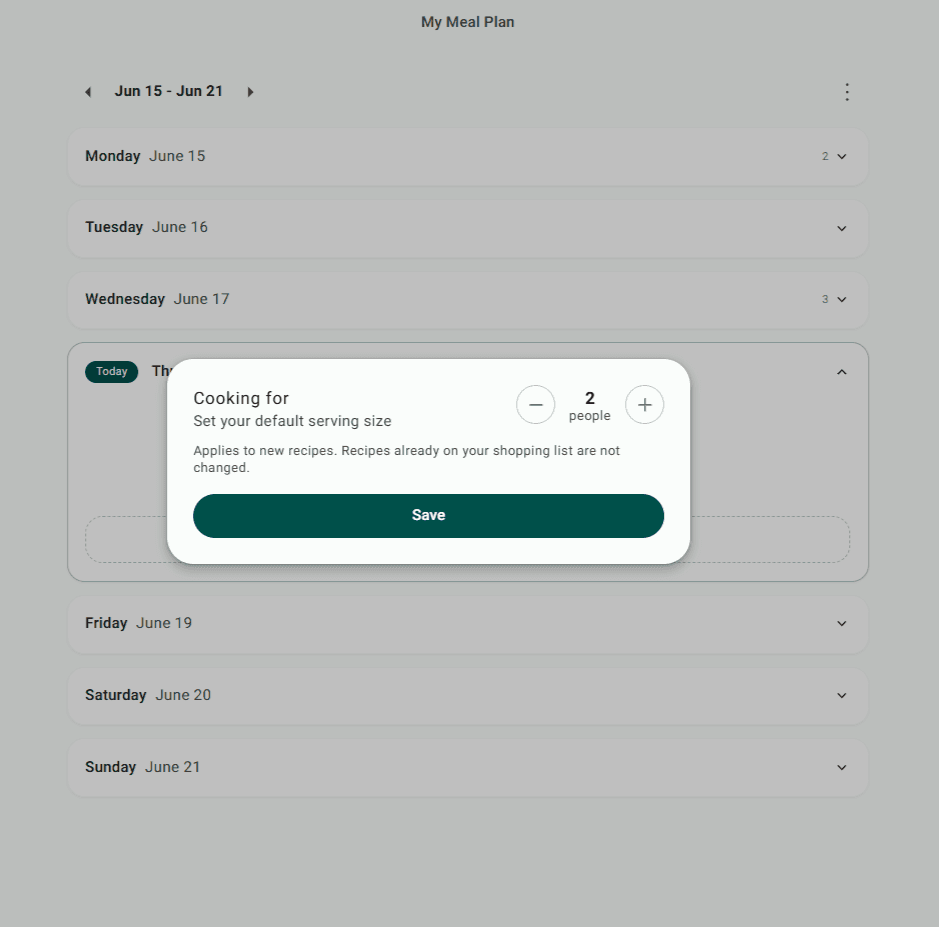
The first thing to set is how many people you are cooking for. Set it to one, two, four, or six, and every ingredient quantity across your saved recipes adjusts to match. It sounds minor. It is not. Most apps skip this entirely and leave you doing the maths at the grocery store, usually badly.
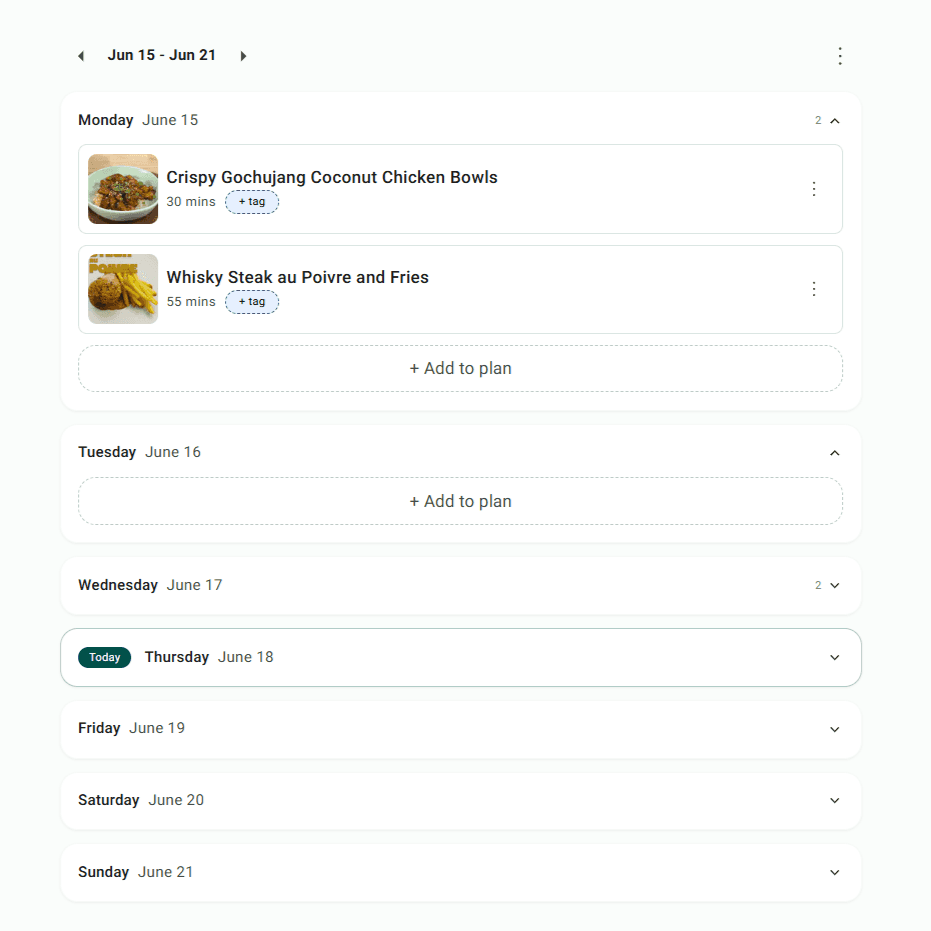
The planner runs as a calendar by date. There is no fixed end point. Plan three days if that is as far ahead as feels manageable. Plan two weeks if you want to shop properly and stop running out of things mid-week. This is a real difference from most tools, which lock you into a seven-day view and reset every Sunday regardless of where you actually are in your week.
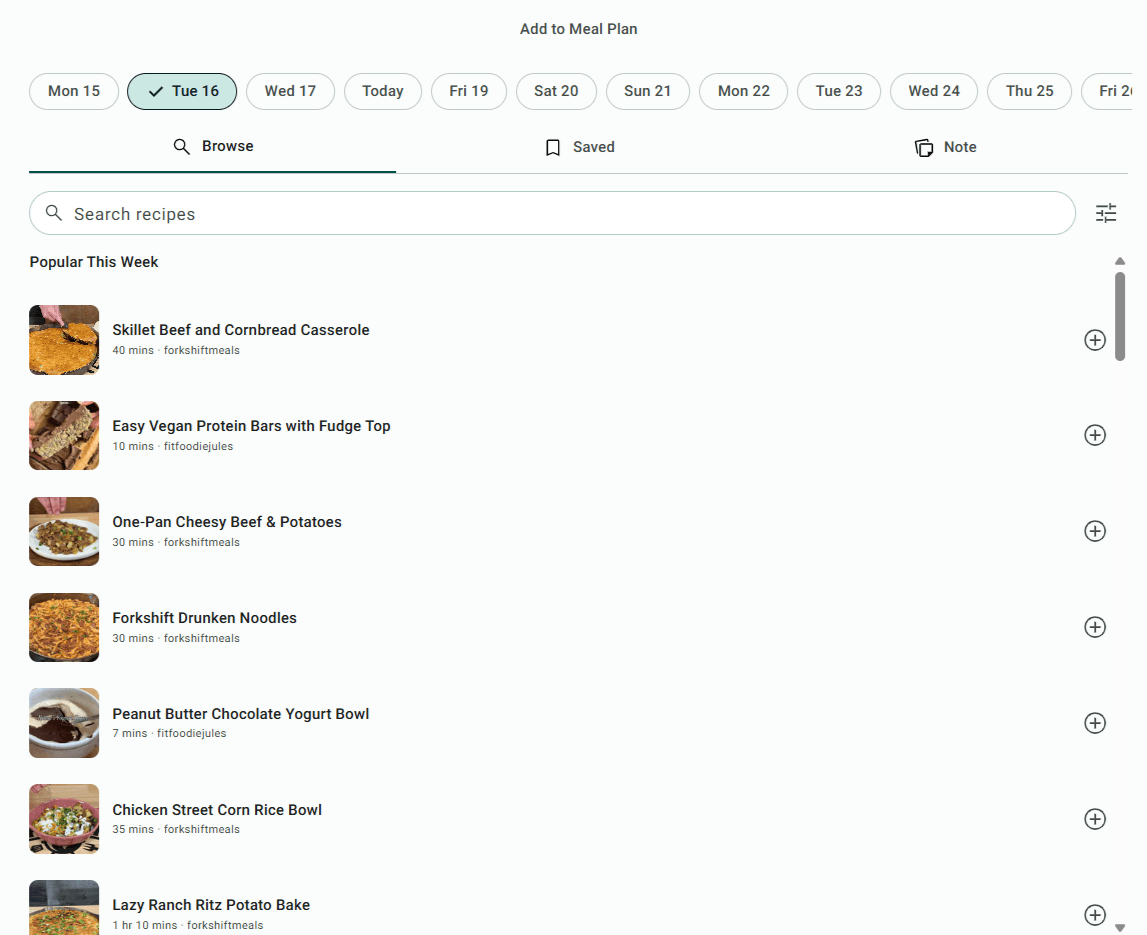
On each day, tap the plus icon to add a meal. This is where the experience is different from most meal planners. There are three ways to add:
That last option is the one that makes this actually work for most people. Your plan has to include how you really eat - not just what one platform has in its database.
And just like that you are done planning your meal for the week! Try Now
Start meal planning on Chefadora →
Most meal planning apps are closed systems - you can only plan meals from their own library, which means your grandmother's rice dish and the breakfast you have been making from memory for five years do not exist.
Chefadora's Notes option solves this directly. When adding a meal to any day, choose Note and type in whatever you are making. It goes straight into the plan and gets included in the shopping list.
This matters because people cook from multiple sources. A saved Chefadora recipe for dinner, a family recipe for lunch, a breakfast that needs no recipe at all - a plan that cannot hold all three does not reflect your real week. And a plan that does not reflect your real week is one you stop following by Tuesday.
You can also import recipes from anywhere on the web directly into Chefadora, which saves them to your collection and makes them available in the Saved tab when you plan.
Use your dietary requirements as the filter, not an afterthought. For conditions like PCOS or thyroid issues that need high protein, high fibre, low carbs, and low fat - a meal plan is not optional. Without one, the easiest option at the end of a long day is almost always the wrong one.
The same logic applies across a wide range of health goals. Someone building a weight loss meal plan needs to stay in a calorie deficit without feeling deprived, which means leaning on high-volume, high-fibre recipes that keep hunger manageable. Someone managing diabetes or insulin resistance needs a low glycemic meal plan that keeps blood sugar stable across the day - which means planning meals in advance rather than grabbing whatever is fastest. An anti-inflammatory meal plan for thyroid or autoimmune conditions requires consistent choices day after day, not occasional good days surrounded by reactive eating.
Whatever the restriction, the planning process is the same: set your dietary filter first and build from there.
Chefadora supports filtering across a broad range of dietary needs - high protein, low carb, vegetarian, vegan, plant based, gluten free, dairy free, and more. The recipe library spans multiple cuisines, so a high protein meal plan does not have to mean the same five dishes every week, and a vegan meal plan does not have to mean salads and smoothies. The variety across Mediterranean-style dishes, Asian plant-based recipes, and global high-protein options is genuinely there when you have a library big enough to pull from.
A few things that help regardless of your specific restriction:
Plan for the week you are actually going to have, not the one you wish you had.
The single thing that keeps people going past Wednesday is planned overlap. Cook chicken on Monday night. Make extra. Tuesday breakfast is a chicken sandwich - same ingredients, five minutes, no decisions. That is not laziness. It is the only approach that makes meal planning sustainable for a regular person with a regular week. One-pot recipes sit in the same category: less effort, less to clean, more likely to happen.
For busy people, a realistic week looks something like this:
A Plan to Eat survey found users reduced their meal planning and grocery shopping time from 140 minutes a week to 73, just by using a digital tool that kept their recipes and shopping list in one place.
Usually because the plan they built had nothing to do with the week they actually lived.
You sit down on Sunday and plan as though you will have energy every night, time every morning, and enthusiasm for trying something new on a Wednesday. Then you do not. You get home late, the recipe takes an hour, you make toast, and the whole thing feels like a failure.
It is not a failure. The plan was just wrong for a real Tuesday.
Meal planning is a habit. It takes a few weeks to settle. Research published in the International Journal of Behavioral Nutrition and Physical Activity found that people who plan meals eat a wider variety of food and have better diet quality - but the study was not measuring week one. It was measuring people who had stuck with it long enough for it to become normal.
What makes plans last:
No app makes you cook when you genuinely do not want to. But a plan that is honest about how your week actually goes makes it much easier to follow through on the days when you do.
Chefadora's meal planner is built for people who cook from more than one source, have dietary restrictions to work around, and need a shopping list that matches what they actually planned to cook.
Set your serving size, choose your days, pull from your saved recipe collection, and write in meals that are not in the library. Filter by diet and cook time. Get a grocery list that covers all of it without building it manually.
Start meal planning on Chefadora →
A1. Open your meal planner, set how many people you are cooking for, and add meals to each day from your saved recipe collection. On Chefadora, the Saved tab shows every recipe you have bookmarked - it is the fastest way to build a week around food you already know you like. Once your meals are in, the shopping list generates on its own.
A2. Decide how many days and how many people first. Then add one recipe per meal slot, mixing familiar dishes with one or two new ones. Keep most of the plan simple - quick meals for weeknights, something slightly more involved for a day when you have time. On Chefadora, you can filter by cook time and dietary preference so you are not scrolling through recipes that do not fit your week.
A3. One that actually lets you filter for what you need - high protein, low carb, vegetarian, vegan - and has enough recipes that you are not seeing the same options every time. Chefadora covers multiple cuisines and dietary categories, and you can save the recipes that fit your requirements into a personal collection so they are easy to pull from each time you plan.
A4. No fixed limit. The planner uses a calendar view, so you choose how far ahead to plan - three days, a week, two weeks, whatever works. Useful if you want to shop for more than a week at a time and keep your pantry stocked without running out of basics mid-week.
A5. Set your serving size to one and quantities scale down automatically. Focus on recipes that keep well or produce leftovers you can use the next day - cooking once and eating twice is the most practical approach for solo meal planning. Mix quick recipes for busy days with a couple of slightly more involved meals for when you actually have time.
A6. Filter for high-protein vegetarian recipes and plan around variety, not just the obvious options. Paneer in different preparations, tofu, edamame, soy-based dishes, legumes, eggs - all high protein, all distinct enough that a week does not feel repetitive. Chefadora pulls from multiple cuisines, so you can rotate through Indian, East Asian, and Mediterranean protein sources without running out of ideas. Save the ones that fit into your collection so future planning takes less time.
A7. The plan was probably too ambitious for a real week. If it requires serious cooking every night with no fallbacks, it falls apart the first time you are tired - which is Tuesday. Build in quick recipes, plan deliberate leftovers, and include a few meals you already know how to make without thinking. The habit settles in around week three or four for most people. Week one is always the hardest.
A8. Especially for busy people. It takes out the daily decision of what to eat, stops impulse grocery spending, and reduces how often you end up ordering food you did not plan for. A Plan to Eat survey found users cut their weekly planning and shopping time in half after switching to a digital tool. The 10 to 15 minutes you put in at the start of the week comes back many times over.
Updated on 18 Jun 2026
Save recipes from anywhere, and get answers, swaps, and help as you cook.

