We use cookies on this website to ensure its proper functioning and to improve the quality of our services. Cookie Policy

Consistency is one of the biggest keys to growth on social media. But let’s be honest, life gets busy and posting regularly can feel overwhelming. That’s where scheduling comes in. By preparing your posts ahead of time, you can stay active on your feed without constantly being online.
Creators like The Content Kitchen share simple, practical tips for food and lifestyle creators to take control of their content calendars. Here’s a quick breakdown of how you can schedule your own posts directly within Instagram.
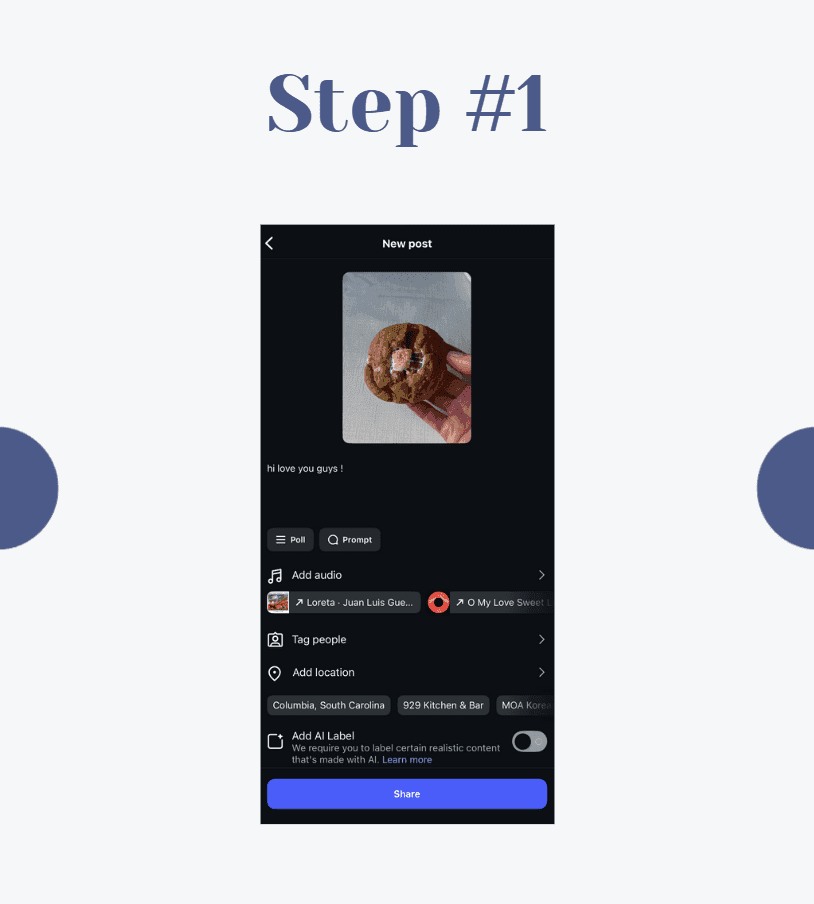
Start by creating your post the same way you normally would. Upload your photo or video, write your caption, add your hashtags, tag people, and choose your location. Treat this step as if you’re about to hit publish.
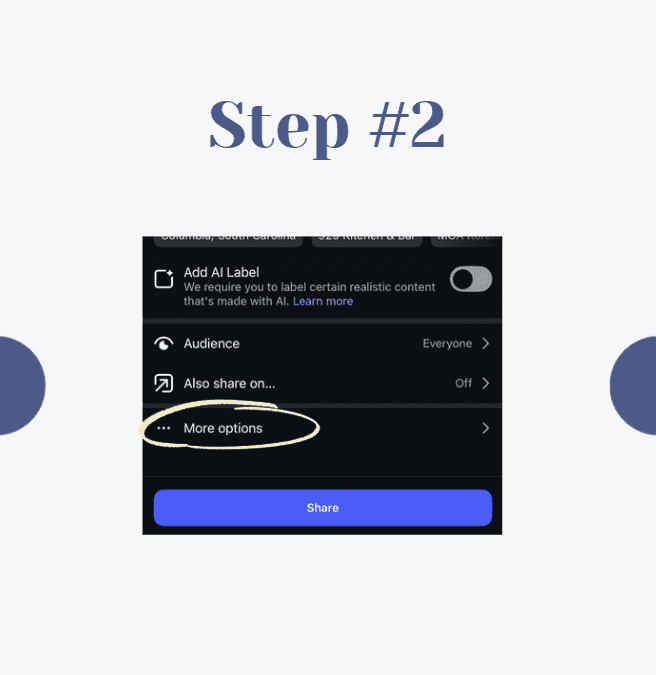
Before you press share, scroll down to find the More Options section. This is where Instagram hides some of its extra features, including the scheduling tool.
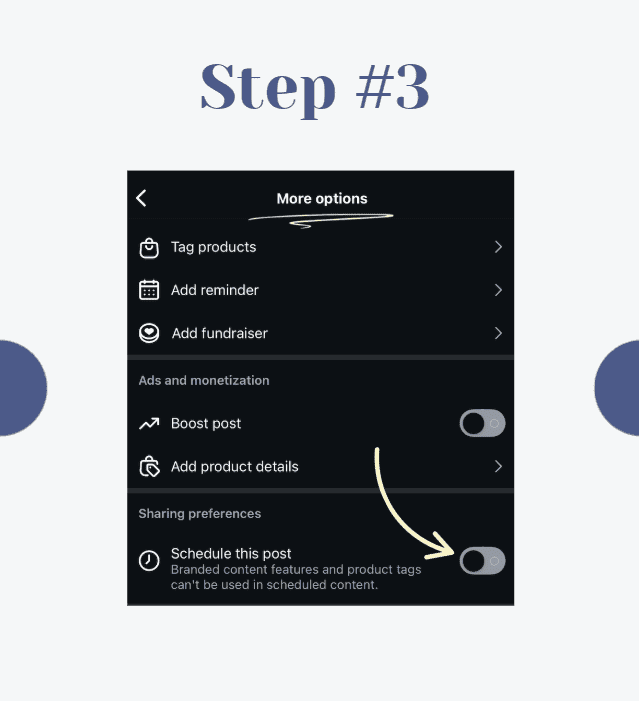
Inside More Options, you’ll see a button that says Schedule this post. Toggle that button on. This unlocks the ability to set the exact day and time you want your post to go live.
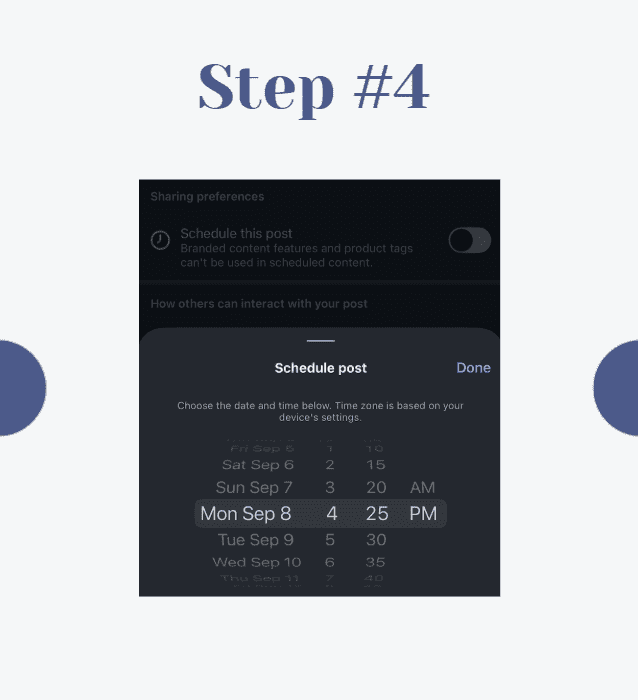
Choose when you want the post to be published. Think about your audience’s habits. Are they more active in the mornings, during lunch breaks, or in the evenings? Scheduling allows you to reach them when they’re most likely to engage, even if you’re busy doing something else.
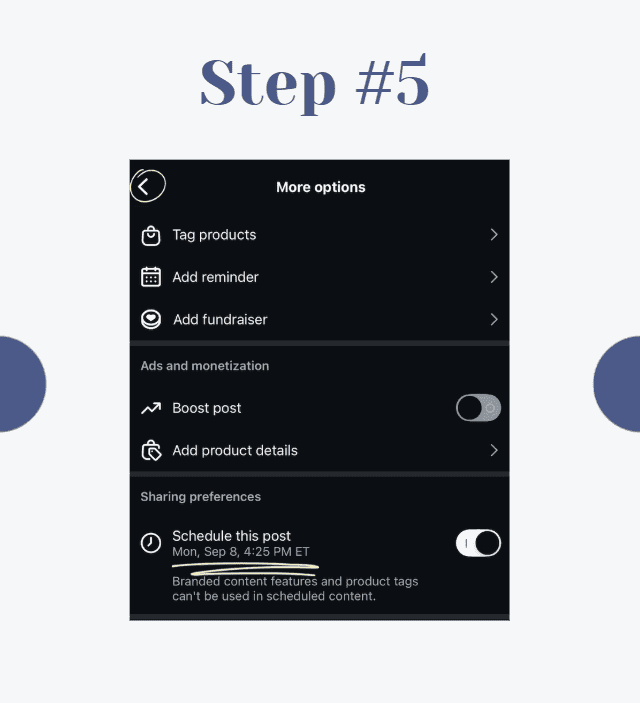
Before confirming, double-check your caption, tags, and hashtags. Once the schedule is locked in, the post will go live automatically, so you want to make sure it’s polished and ready to represent your brand.
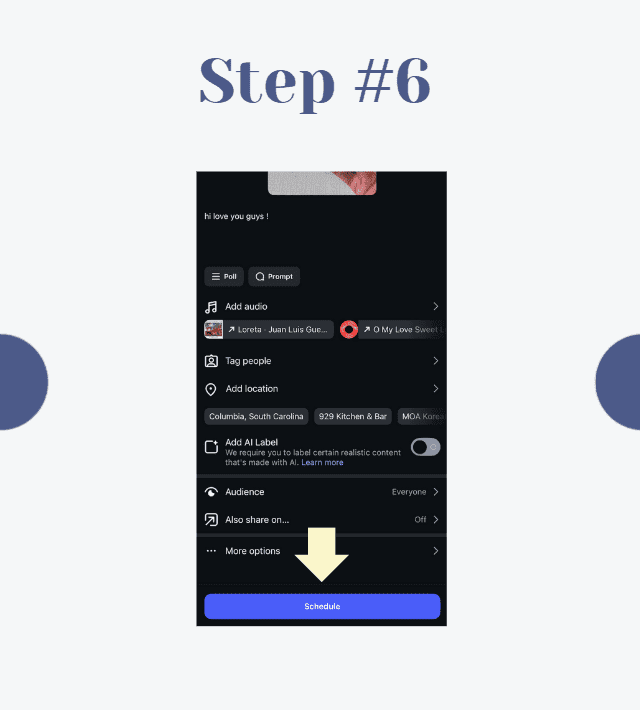
That’s it! Instead of sharing immediately, your post will now be queued to publish at the time you set. No alarms, no reminders, no rushing to post on the spot.
Scheduling isn’t just about convenience. It helps you stay consistent, plan around campaigns, and create a balanced content calendar. It also takes the stress off your shoulders, so you can spend more time focusing on engagement and creativity.
So the next time you’re prepping content, try scheduling it. It’s a small step that can make a big difference in how you manage your page.
Updated on 26 Sept 2025
Save recipes from anywhere, and get answers, swaps, and help as you cook.

